ByMax Lee
CT Digital Driver’s License Pilot Program Explained
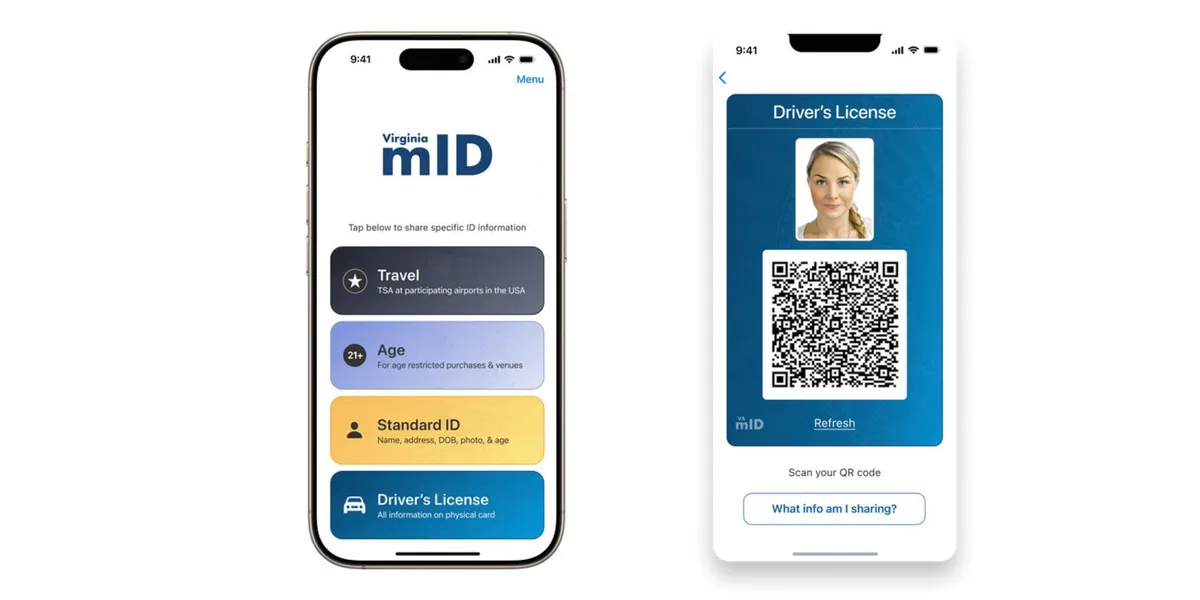
You don't need to carry a plastic driver's license everywhere if you live in Connecticut. The Connecticut digital driver license and identity credential pilot program gives you the option to use your phone as a valid ID. It's a secure, smartphone-based version of your state-issued driver's license or identification card.
The program is voluntary, so you can still use your physical card whenever you want.
The program follows the ISO/IEC 18013-5 international standard for mobile driver's licenses, the same framework used by states like Arizona and Colorado. As of 2026, the pilot includes a limited number of participants but is gradually expanding. The goal is to offer a convenient, contactless way to prove your identity in everyday situations.
Bing (Web (fair-use with source credit))
Quick Answer
The Connecticut digital driver license and identity credential pilot program offers a mobile ID stored on your smartphone. It follows the ISO 18013-5 security standard. You can present it at TSA checkpoints and select retailers.
The credential lives in Apple Wallet or Google Wallet. It does not replace your physical license. Both remain valid.
What Is Connecticut’s Digital Driver’s License Pilot Program?
Connecticut's mobile driver license program is a digital version of your state-issued driver's license or ID that lives on your phone. The Connecticut Department of Motor Vehicles launched the pilot in 2024 after state lawmakers approved the necessary legislation.
The credential uses the same ISO/IEC 18013-5 standard adopted by Arizona, Colorado, Maryland, and several other states. This ensures the digital ID can be verified across different systems. The program is voluntary.
You can continue using your physical license for everything if you prefer.
The pilot began with a limited group of residents. The state expects to expand access to all eligible license holders over time. Unlike the federal Real ID requirement, this digital license is not yet accepted at federal facilities.
It's designed for day-to-day use: airport security, age verification, and identification.
How the Connecticut Mobile ID Works
Bing (Web (fair-use with source credit))
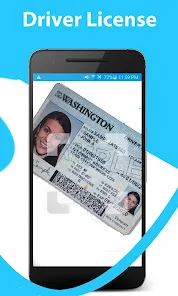
The mobile ID uses a combination of technologies to keep your information safe. When you present your digital license, the screen displays a QR code that the verifier's device scans. That code contains encrypted data the verifier can read with an authorized app.
Behind the scenes, the credential uses Bluetooth or NFC for close-range communication. This prevents someone from reading your ID from across the room. Before the credential is shared, you must unlock your phone with Face ID, Touch ID, or a passcode.
The data is encrypted and stored locally on your device.
The system follows the ISO 18013-5 standard, which defines how mobile driver's licenses should work. This means the same app can verify credentials from multiple states. Connecticut does not maintain a central database storing your digital ID usage.
The information stays on your phone until you choose to share it.
Here's how the digital credential compares to a physical license in everyday use:
| Feature | Physical License | Digital License |
|---|---|---|
| Storage | Wallet or purse | Phone wallet |
| Backup | Requires reissue | Reissue from DMV |
| Address updates | New card needed | Auto sync with DMV |
| Acceptance | Universal | Pilot locations |
Who Can Get a Digital Driver’s License in Connecticut
Not everyone in Connecticut can enroll in the digital ID pilot just yet. The program is rolling out in phases. Here's who's currently eligible:
- You must hold a valid Connecticut driver's license or non-driver ID card
- You need a smartphone running iOS 16 or later, or Android 8 or later
- You must complete an in-person identity verification at a DMV office
The pilot initially invited a small group of residents in 2024. As of 2026, the state has expanded eligibility to include more license holders. However, the program is still not open to everyone.
The DMV has not announced a full public launch date.
People with commercial driver's licenses (CDL) are not currently eligible. The state is focusing on standard passenger licenses first.
Where You Can Use Your Connecticut Mobile ID (And Where You Can’t)
Bing (Web (fair-use with source credit))
Your digital license works in several places but not everywhere. Here's a breakdown of accepted locations and current limitations.
| Location | Accepted? | Notes |
|---|---|---|
| TSA checkpoints | Yes (select airports) | Bradley International pilot lanes |
| Bars & clubs | Yes (varies) | Venue must have reader |
| Liquor stores | Yes (participating) | Not all stores |
| Traffic stops | Yes (if officer has reader) | Physical ID still recommended |
| Federal buildings | No | Requires Real ID |
| Rental car counters | Depends | Check ahead |
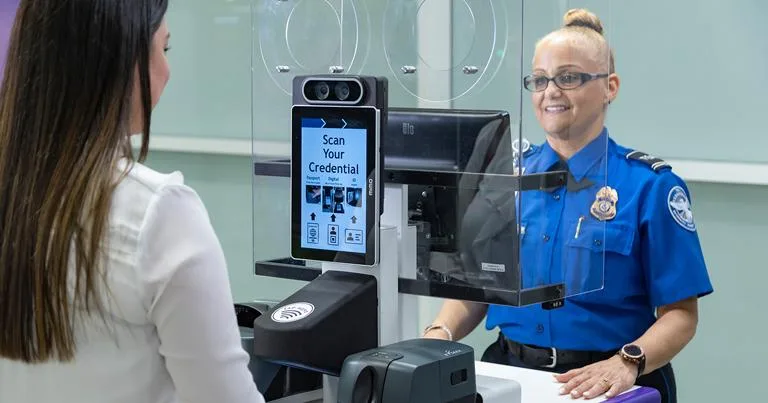
Where it is accepted: The most common use is at TSA checkpoints. Bradley International Airport has dedicated lanes for digital ID verification. Many bars and liquor stores that sell age-restricted products have started accepting digital credentials.
Some state government buildings also accept them.
Where it is not accepted: Federal facilities still require a physical Real ID or passport. Some private businesses may not have the necessary reader hardware. Law enforcement can accept the digital ID during traffic stops, but not all officers have the reader app installed.
The CT DMV recommends carrying your physical license as a backup.
Step-by-Step: How to Get Your Digital ID in Connecticut
Bing (Web (fair-use with source credit))
Enrolling in the pilot takes a few steps. Here's the process from start to finish.
- Check your eligibility. You need a valid Connecticut license and a compatible smartphone (iPhone 8 or later with iOS 16+, or Android 8+).
- Visit a DMV office. You must verify your identity in person. This step ensures your digital credential matches your official records.
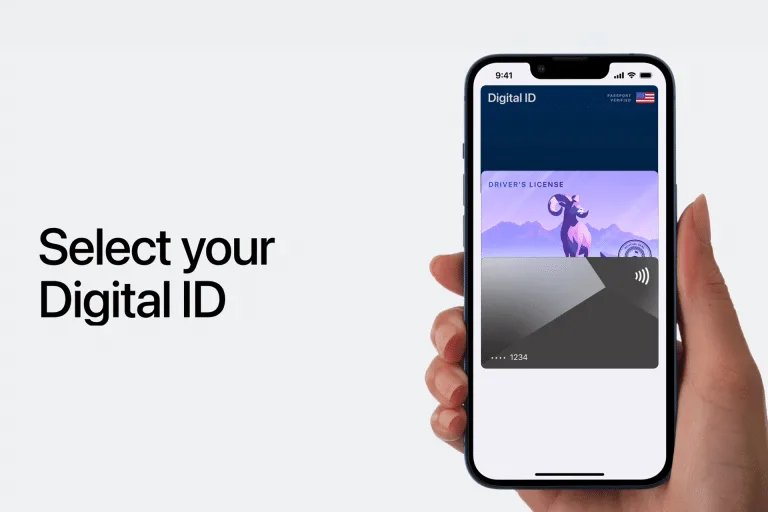
- Download the CT Mobile ID app or add directly to Apple Wallet or Google Wallet. The app walks you through the setup.
- Set your security. Choose a PIN, Face ID, or Touch ID to protect access. This prevents anyone else from using your digital ID if your phone is lost.
- Activate your credential. Once verified by the DMV, your digital license becomes active. You can use it immediately.
After activation, your digital ID syncs automatically with the DMV database. When you renew your license or change your address, the digital version updates on its own. You don't need to request a new card.
Security & Privacy: How Safe Is Connecticut’s Digital License?
The digital ID uses multiple layers of protection to keep your information secure. Your data is encrypted and stored locally on your device, not in a central database. This means even if the DMV’s systems were compromised, your digital license wouldn’t be exposed.
When you present your ID, the verifier only sees the information you choose to share. For example, a bartender checking your age won’t see your address or license number. The QR code and Bluetooth/NFC transmission are designed to prevent skimming or remote access.
The program complies with the ISO/IEC 18013-5 standard, which includes strict privacy requirements. Connecticut law also prohibits businesses from retaining your data after verification. If your phone is lost or stolen, your digital ID is protected by your device’s security features like Face ID or a PIN.
Digital vs. Physical ID: Key Differences in Connecticut
Here’s how the two compare in real-world use:
| Feature | Digital ID | Physical ID |
|---|---|---|
| Convenience | Always on your phone | Must carry separately |
| Updates | Auto-syncs with DMV | Requires reissue |
| Backup | Needs phone battery | Always accessible |
| Acceptance | Limited during pilot | Universally accepted |
| Security | Encrypted, biometric lock | Can be lost or stolen |
The digital version wins on convenience and updates. Your address or license status changes automatically when you update it with the DMV. With a physical card, you’d need to request a replacement.
However, the physical ID is still more widely accepted. Some businesses and agencies don’t yet have the technology to verify digital credentials.
Common Problems & How to Fix Them
My digital ID won’t load in the app
First, check your internet connection. The app needs to sync with the DMV’s systems occasionally. If that doesn’t work, try closing and reopening the app.
If the issue persists, reinstall the app and log back in.
The verifier can’t scan my QR code
Make sure your screen brightness is turned up. Glare or low light can interfere with scanning. Also, ensure you’re using the most recent version of the app.
Older versions may have compatibility issues.
I got a new phone. How do I transfer my digital ID?
You’ll need to visit a DMV office to reactivate your digital ID on the new device. The credential is tied to your phone’s hardware for security reasons. Bring your old phone if possible to speed up the process.
My phone died. Can I still use my digital ID?
No. Without power, you can’t access the digital credential. That’s why the DMV recommends keeping your physical license as a backup until the program is fully established.
Cost, Eligibility, and Technical Requirements
The digital ID is free to add to your phone. There’s no additional fee beyond your standard license or ID card costs. The pilot program is included as part of Connecticut’s DMV services.
To participate, you need:
- A valid Connecticut driver’s license or non-driver ID
- A compatible smartphone (iPhone 8 or later with iOS 16+, or Android 8+)
- In-person verification at a DMV office
The process takes about 15-20 minutes at the DMV. You’ll need to bring your current license and proof of identity, just like when you first got your license. The DMV staff will guide you through setting up the digital credential on your phone.
Legal & Compliance: What You Need to Know
The digital ID is legally equivalent to your physical license under Connecticut state law. It meets the same identification standards and can be used wherever the pilot program is accepted. However, it does not yet meet federal REAL ID requirements.
For federal purposes like boarding domestic flights or entering federal buildings, you’ll still need your physical REAL ID or another acceptable form of identification. The digital ID is currently only valid for state-level verification.
Law enforcement officers are trained to accept digital IDs during traffic stops. They use a secure app to verify the credential’s authenticity. The officer cannot access or store your personal information from the digital ID.
Businesses that choose to accept digital IDs must use approved verification methods. They’re prohibited from retaining your data after the transaction. Violations of these rules can result in penalties for the business.
Businesses & Law Enforcement: How They Verify Your mDL
Businesses need a compatible scanner or app to read your digital ID. The CT DMV provides approved verification software to participating locations. When you present your phone, the business scans the QR code or uses NFC to pull up your information.
Law enforcement officers use a secure app provided by the state. This app confirms the ID’s authenticity and checks for tampering. Officers see only the information they’re authorized to view, such as your name, photo, and license status.
The verification process takes just a few seconds. The system flags expired or revoked licenses automatically. Businesses and officers cannot store or copy your data after the transaction.
FAQs About Connecticut’s Digital Driver’s License Pilot
Is the digital ID mandatory?
No. The program is completely voluntary. You can continue using your physical license for all purposes.
Can I use it for alcohol purchases?
Yes, but only at participating retailers. Check with the business first to confirm they accept digital IDs.
What if my phone is lost or stolen?
Your digital ID is protected by your phone’s security features. You can deactivate it remotely through the CT DMV app. Visit a DMV office to reactivate it on a new device.
Does it work at all airports?
No. Currently, it’s only accepted at select TSA checkpoints, including Bradley International. Other airports may not have the necessary equipment yet.
Can I have both digital and physical IDs?
Yes. The DMV recommends keeping your physical license as a backup until the digital program is fully established.
How do I update my address on the digital ID?
Change your address with the DMV as usual. The digital ID updates automatically within 24 hours. No need to request a new card.