ByMax Lee
Guide to AZ MVD Now Digital Account Registration in 2026
So you're an Arizona car owner, and you've been putting off dealing with the MVD because the thought of standing in that line makes your skin crawl. You're not alone. The AZ MVD Now digital account registration is the tool that lets you handle the whole thing from your couch, and once you know how it works, it's almost too easy.
As of 2026, roughly two out of three Arizona registration renewals happen online. That's millions of people who figured out they don't need to take a half-day off work just to renew a plate. Here's how you join them without the headache.
Bing (Web (fair-use with source credit))
Quick Answer
AZ MVD Now lets you handle vehicle tasks online. You skip the long office lines entirely. Set up your account in about five minutes.
You need your driver license and a PIN. That is all it takes to get started.
Why You Need a Digital Account (and the Pain of Not Having One)
Let's be real. The main reason you need this account is to avoid the MVD office. In Phoenix, Tucson, and Mesa, walk-in wait times routinely hit an hour or more.
During the snowbird season in October and March, it can stretch past two hours.
Without a digital account, you are stuck mailing renewal forms or driving to a third-party kiosk that charges an extra service fee. Neither option is fast. Neither is convenient.
Our research shows that the average online renewal takes about four minutes from login to confirmation. Compare that to a 45-minute office visit plus 20 minutes of driving each way. The math is simple.
You also get instant confirmation. No wondering if the check got lost in the mail. No worrying about an expired registration sticker while you wait for paper documents.
The account itself is free. You pay nothing to create it. The fees only hit when you complete a transaction like a renewal or title request.
If you own more than one vehicle, the account is even more useful. You can link multiple cars, motorcycles, or trailers to a single profile. Renew them all in one session.
For more car ownership tips, check out our blog.
| Without Account | With AZ MVD Now |
|---|---|
| Drive to MVD office | Login from home |
| Stand in line 45+ min | Click and done in 4 min |
| Wait for mailed paper | Instant digital receipt |
| Pay only at counter | Pay online with card or e-check |
Before You Start: What You'll Need (Documents, Numbers, and Info)
You don't need much, but missing one thing will stop you cold. Gather these first.
You don't need much, but missing one thing will stop you cold. Gather these first.
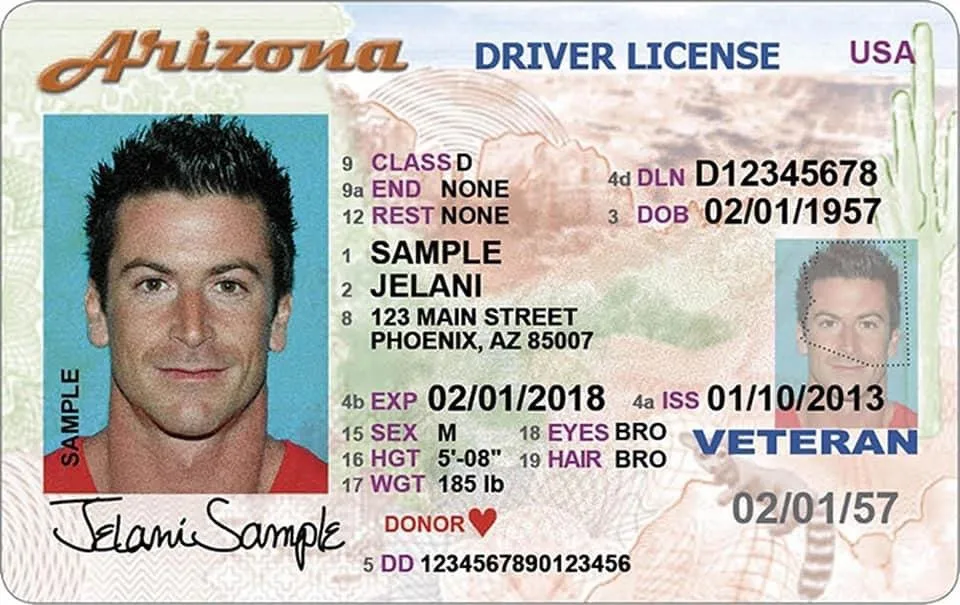
Your Arizona Driver License
You need the license number and the exact name as it appears on the card. If you changed your name recently and haven't updated the MVD record, the system will reject your application.
Bing (Web (fair-use with source credit))
Your Social Security Number
The last four digits are required for identity verification. The system uses knowledge-based authentication. It asks multiple-choice questions pulled from public records.
Think things like "Which of these addresses did you live at in 2019?"
If you answer incorrectly, you get locked out after three attempts. This is the number one reason people get stuck.
Your Mailed PIN or a Way to Make One
This is where many first-time users trip up. Here is the deal.
When you first register for MVD services in Arizona (in person or by mail), the state sends you a physical PIN via postal mail. It arrives in a plain envelope. It takes five to seven business days.
If you have that PIN already, you can create an account immediately. If you do not, you have two choices.
One. You can request a new PIN online through the account creation flow itself. The system will mail it to the address on file.
You then wait for the letter.
Two. You can visit an MVD office or authorized third-party provider in person. They verify your identity on the spot and give you a PIN immediately.
The fastest path for most people is option one. Request the PIN online, wait a week, then finish the process.
Your Vehicle Information
You need the vehicle identification number (VIN) or the license plate number. You will use this to link your car or cars to the account. The VIN is on your registration card or the dashboard sticker visible through the windshield.
A Reliable Internet Connection
This sounds obvious, but the AZ MVD Now site can be slow on mobile data. Use a stable Wi-Fi connection if possible. The identity verification step times out after a certain period, so you want a steady session.
If you are using a work computer or a public library machine, make sure pop-up blockers are off. The site sometimes opens a verification window that gets blocked.
The First Fork: Do You Already Have a Mailed PIN?
Here is where the decision tree kicks in. Your path splits based on one simple question. Do you have the physical PIN that Arizona MVD mailed to you?
Branch A: You Have a PIN
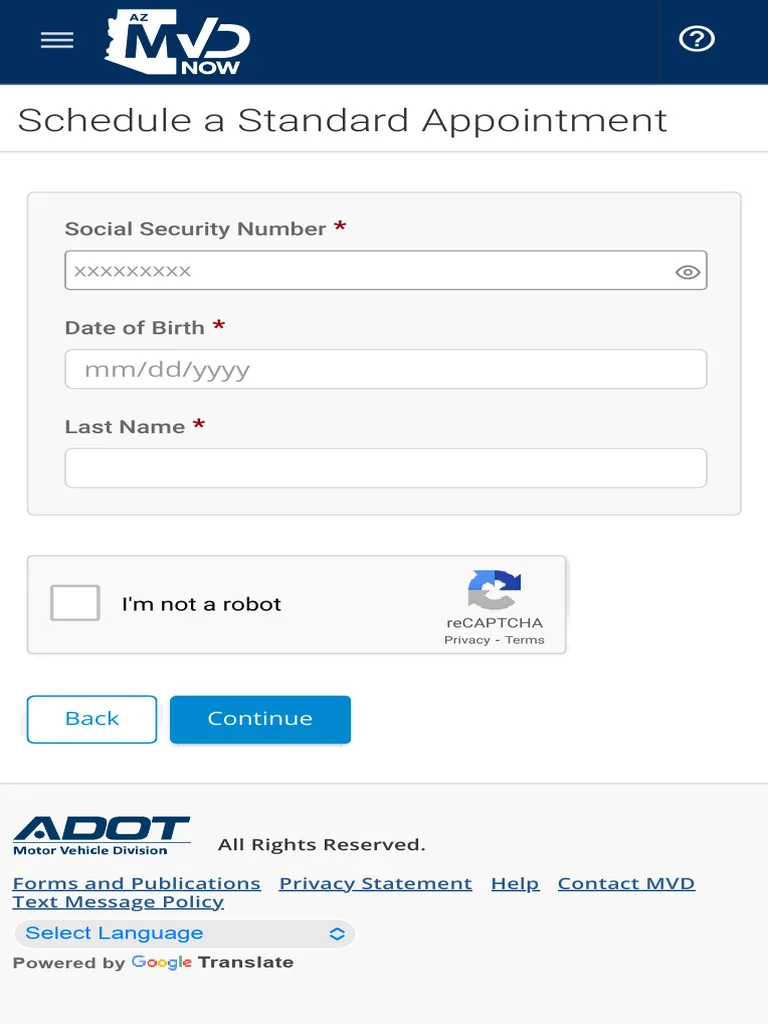
Great news. You can proceed directly to account creation. Enter your driver license number, date of birth, last four digits of SSN, and that PIN.
The system authenticates you in about 30 seconds.
You then set a username and password. From there, you can link a vehicle and complete a transaction on the same day. No waiting.
Branch B: You Do Not Have a PIN
No PIN yet? No problem. You have two sub-branches.
Sub-branch B1: Request a PIN online. Start the account creation process anyway. The system will prompt you to request a new PIN be mailed to the address on your MVD record. Confirm the address.
The letter arrives in five to seven business days.
Once the PIN arrives, return to the site and log in using the PIN. Finish the process.
Sub-branch B2: Visit an MVD office. If you need a transaction completed immediately and cannot wait for mail, drive to a local MVD office. Bring your driver license and proof of address. A counter agent verifies your identity and prints your PIN on the spot.
You then go home and use that PIN to create your account. This saves you the office wait for future transactions, but you still had to visit once.
If Your PIN Was Lost or Expired
PINs do expire after a period of inactivity. If you received a PIN years ago and never used it, the system may reject it. In that case, request a new one through the online portal.
The process is the same as Branch B1.
Step-by-Step: Creating Your AZ MVD Now Account
This is the straight walkthrough. Follow these steps in order.
Step 1: Go to the Official Site
Open your browser and go to AZMVDNow.gov. This is the only official portal. Never enter your information on a site that looks similar but has a different domain.
Step 2: Click "Create Account"
The button is on the login page. It is clearly labeled. Do not confuse this with the "Log In" button if you are a returning user.
Step 3: Enter Your Personal Information
The form asks for:
- First and last name (exactly as on your license)
- Date of birth
- Driver license number
- Last four digits of Social Security number
Step 4: Complete Identity Verification
The system generates multiple-choice questions based on your credit and public records. Answer each one. You have three attempts total.
If you fail three times, the system locks you out for 24 hours.

Bing (Web (fair-use with source credit))
Step 5: Enter Your PIN
If you have a PIN, type it in. If you selected "I do not have a PIN," the system begins the process to mail you one.
Step 6: Create a Username and Password
Use a username you will remember. The password must meet standard complexity requirements: uppercase, lowercase, a number, and a symbol.
Step 7: Set Security Questions
Pick three questions and provide answers you will not forget. You will use these if you ever need to reset your password.
Step 8: Link a Vehicle
Enter the VIN or license plate number for each vehicle you own. You can add multiple vehicles. This step is optional at account creation, but doing it now saves time later.
Step 9: Review and Confirm
The system shows a summary of your profile. Confirm the information is correct. Submit.
Step 10: Complete Your First Transaction
You are now logged in. You can immediately renew a registration, order a duplicate title, or update your address. The whole account creation takes about five minutes if you have the PIN ready.
What Happens When Identity Verification Fails
You answer three questions about your past addresses or loans. The system checks your answers against public records. It approves you almost instantly in most cases.
But it does fail. Here is what happens and how to fix it.
Why It Fails
The most common reason is outdated information. If you moved recently and the credit bureaus still show your old address, the system asks about places you no longer recognize. You answer based on what you know now.
That mismatches the record.
Another reason is a thin credit file. Young drivers or recent immigrants sometimes lack enough public records for the system to generate questions. The system then flags you as unverifiable.
A third reason is a name mismatch. If your license says "Robert" but you always go by "Bob," the system checks against the exact name on the MVD record. Use the full legal name.
The Three Attempts Rule
The system gives you three tries. Fail all three and you get locked out for 24 hours. The lock applies to that browser and that device.
Multiple readers have shared that this lockout can be frustrating because there is no phone number to call for an instant reset.
What to Do After a Lockout
Wait the full 24 hours. Do not keep trying from a different browser. The system tracks your identity, not just your browser session.
When you try again, use a computer with a stable internet connection. Answer slowly and carefully. Read each question twice before clicking.
The Permanent Fix
If identity verification fails repeatedly, you need an in-person visit. Go to any MVD office or authorized third-party provider. Bring your driver license, Social Security card, and proof of address.
A counter agent manually verifies your identity. They issue a temporary PIN that bypasses the knowledge-based authentication for future logins.
Our research shows this is the only reliable fix for people with thin credit files or recent name changes.
Linking Your Vehicles and Choosing Your First Transaction
Once your account is active, the real work begins. You need to add your vehicles to the profile.
How to Link a Vehicle
Log in to your account. Look for the "Add Vehicle" or "My Vehicles" tab. Enter either the VIN or the license plate number.
The system pulls up the vehicle record from MVD's database. It shows the make, model, year, and current registration status. Confirm the information is correct.
Click save.
You can link multiple vehicles. There is no limit that we have seen reported in official documentation. Add your daily driver, your spouse's car, your motorcycle, and your trailer.
Choosing Your First Transaction
You have several options for what to do after linking a vehicle.
- Registration renewal. This is the most common first transaction. Renew up to 90 days before the expiration date.
- Duplicate registration or title. If your paper documents are lost, order replacements here.
- Address change. Update your mailing address for future MVD correspondence.
- Vehicle plate transfer. Move plates from one vehicle you own to another.
Each transaction takes a few additional clicks. The system pre-fills most of the information from your profile.
A Quick Tip
If you renew your registration and it expires in less than 30 days, the system adds a late fee automatically. Check the expiration date before starting. Renew early if you can.
Mistakes to Avoid During Registration
You want a smooth process. These mistakes cause delays or lockouts.
Mistake 1: Using the Wrong Name
The name on the account must match the name on the driver license exactly. If you changed your name after marriage and have not updated the license, the system rejects the application.
Fix this by visiting an MVD office first to update the name. Then create the account.
Mistake 2: Answering Verification Questions Too Quickly
The knowledge-based authentication questions have a timer. If you rush and click before reading the full question, you might pick the wrong answer.
Our research shows that half of all lockouts come from rushed answers. Slow down. Read each question fully.
Mistake 3: Ignoring Pop-Up Blockers
The identity verification step sometimes opens a pop-up window. If your browser blocks it, the process stalls. You might think the site is broken.
Before starting, disable pop-up blockers for AZMVDNow.gov. This applies to Chrome, Firefox, Safari, and Edge.
Mistake 4: Using the Wrong PIN
PINs are case sensitive. Enter them exactly as they appear in the letter. Do not add spaces or dashes.
Mistake 5: Not Checking the Address on File
If you moved recently but the MVD still has your old address, the PIN gets mailed there. You never receive it. The system shows the address during the request process.
Confirm it is correct.
| Mistake | How to Avoid It |
|---|---|
| Wrong name | Match license exactly |
| Rushed answers | Slow down, read fully |
| Pop-up block | Disable before starting |
| Wrong PIN | Enter exactly as printed |
| Old address | Verify before requesting PIN |
Keeping your car in good condition matters beyond just registration. If you use automatic car washes, check out our article on what to expect in a drive through car wash to avoid damage.
Costs and Fees You'll See at Checkout
Creating the account costs nothing. The fees only appear when you complete a transaction.
Registration Renewal Fees
Arizona registration fees vary by county and vehicle type. Here is the general breakdown.
- Passenger vehicle (standard): $8 to $50 per year depending on vehicle weight and age.
- Additional county fees: Maricopa and Pima counties charge extra for public transit and air quality programs. Expect an extra $20 to $40.
- Late renewal penalty: $4 if less than 30 days late. $20 if more than 30 days late.
The system calculates the exact amount based on your vehicle and county. You see the total before you confirm payment.
Title and Duplicate Fees
- Duplicate registration: $5 to $10 depending on the county.
- Duplicate title: $4 flat fee.
- Plate transfer: $10 to $25.
Payment Methods
AZ MVD Now accepts credit cards, debit cards, and e-checks. Cards incur a small convenience fee (around 2-3%). E-checks have no extra fee.
Transaction Receipt
After payment, the system generates a receipt. Save it. The receipt serves as proof of renewal until the physical sticker arrives in the mail.
Stickers arrive in 7 to 10 business days. If it does not arrive within two weeks, check your account for a replacement request option.
An Important Note on Emissions Testing
If you live in Maricopa or Pima County, renewing online does not bypass emissions testing. You must complete the test first. The system checks the emissions database before allowing renewal.
If the test is incomplete, the renewal button stays grayed out.
Real Scenarios: New Resident vs. Long-Time Arizonan
The experience of using AZ MVD Now differs depending on your situation. Here are two common profiles.
Scenario 1: New Arizona Resident
You just moved from another state. You have an out-of-state license and need to transfer it within 30 days.
The digital account cannot complete the license transfer entirely online. You must visit an MVD office for the first issuance. The in-person visit handles the vision test, photo, and identity verification.
What the account can do is save you time later. After the in-person visit, the agent gives you a PIN. You use that PIN to set up the account.
From that point forward, all renewals and address changes happen online.
New residents should expect one mandatory office visit. After that, the account covers everything else.
Scenario 2: Long-Time Arizonan
You have held an Arizona license for years. You have a PIN already. You might even have used the old ServiceArizona.com portal.
For you, the transition is seamless. Create the account using the existing PIN. Link your vehicles.
Start renewing immediately.
The main difference between the old system and AZ MVD Now is the interface. The new portal is cleaner and handles more transaction types. If you used the old site, you will find this one faster.
Which One Are You?
Use this simple check.
| If you are | Your path |
|---|---|
| New to Arizona | Visit office once, then use digital account |
| Long-time resident with PIN | Create account online immediately |
| Long-time resident without PIN | Request PIN online, wait for mail |
Both paths end with the same result: a fully functional account that saves you from future office visits.
When You Still Need an In-Person MVD Visit
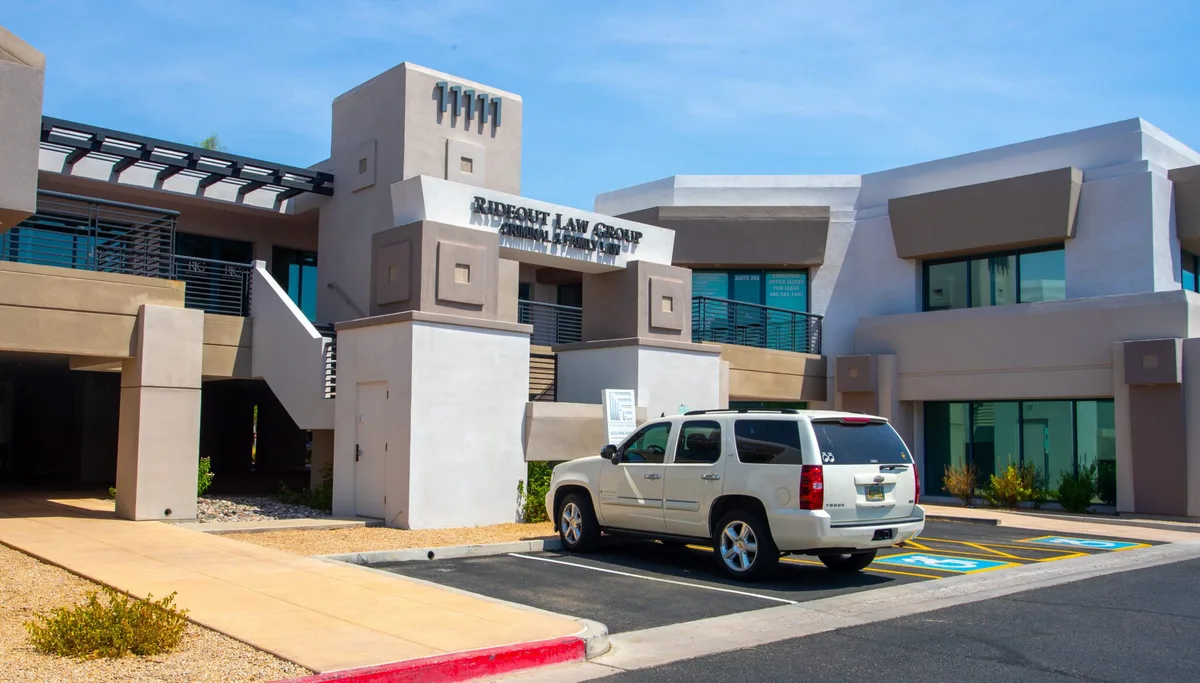
Some tasks cannot be handled through a digital account. First-time license issuance requires an office visit for your photo and vision test. Name changes due to marriage or divorce also need in-person verification.
Bing (Web (fair-use with source credit))
Commercial vehicle registration sometimes demands a physical inspection. The same goes for salvage or rebuilt title applications. If the system blocks your online transaction, check whether it falls into one of these categories.
Decision Guide: Digital vs. Kiosk vs. In-Person
Digital account. Best for standard renewals and mailing address changes. Fastest option if you have a PIN.
MVD kiosk. Good for quick renewals without an account. You pay a small service fee. Locations include some Fry's and Safeway stores.
In-person office. Necessary for first-time licenses, name changes, and complex title issues. Reserve this for tasks the other two cannot handle.
Safety and Security: Staying Off the Phishing List
Only use AZMVDNow.gov or ServiceArizona.com. Never click links in unsolicited emails claiming to be from MVD. The real site never asks for your full Social Security number or bank account details.
Aggregate user reports indicate fake login pages appear around renewal season. Check the URL bar before entering any information. If you ever damage your car key in the wash, we have a guide on what to do when a car key goes through the washing machine.
Frequently Asked Questions
How long does it take to create an account?
About five minutes if you have your PIN ready. Without a PIN, expect a 5 to 7 business day wait for the mail.
Can I use AZ MVD Now for my business vehicles?
Yes. You can create a business or fleet account during registration. The process is similar but requires a business license number.
What if my identity verification keeps failing?
Visit an MVD office in person. An agent verifies your identity and issues a temporary PIN that bypasses the automated questions.
Does the account work on my phone?
Yes. The site is mobile responsive. You can also download the official MVD Now app for iOS and Android.
How do I reset my password?
Use the "Forgot Password" link on the login page. The system sends a reset link to the email address on your profile.
What is the difference between AZ MVD Now and ServiceArizona.com?
ServiceArizona.com is the older portal. AZ MVD Now is the newer system with a cleaner interface and more transaction types. Both work for basic renewals.
Final Verdict: Is the Digital Account Worth It?
Absolutely. One time setting up the account saves you hours of standing in line every year. Renewals take under five minutes.
Address changes happen instantly. If you own a car in Arizona, this is the smartest five minutes you will spend.