ByMax Lee
How to Disable Tesla Car Wash Mode
Tesla’s car wash settings can be confusing if you’ve never used them before. The phrase tesla car wash disable usually means you want to turn off features like Sentry Mode or automatic wipers before a wash to prevent damage or false alarms. As of 2026, newer Teslas have a dedicated Car Wash Mode that handles this for you.
Manufacturer specs confirm that leaving Sentry Mode active in a car wash can drain your battery and trigger unnecessary recordings. Here’s how to get it right.
Quick Answer
Tesla Car Wash Mode disables Sentry Mode, locks the charge port, and closes windows. It’s available in software version 2023.38 and later. Older models require manual disabling.
Always check your touchscreen before entering a car wash.
Why Tesla Car Wash Mode Exists (And What It Does)
Teslas are packed with smart features that aren’t always car-wash-friendly. Sentry Mode keeps recording even when you’re not in the car, which can drain your battery and fill up storage with useless footage. Automatic wipers might activate from the spray, wasting energy and potentially scratching your paint.
YouTube / It's Binh (Been) Repaired & Everything Reviewed (YouTube thumbnail (fair-use with source credit))
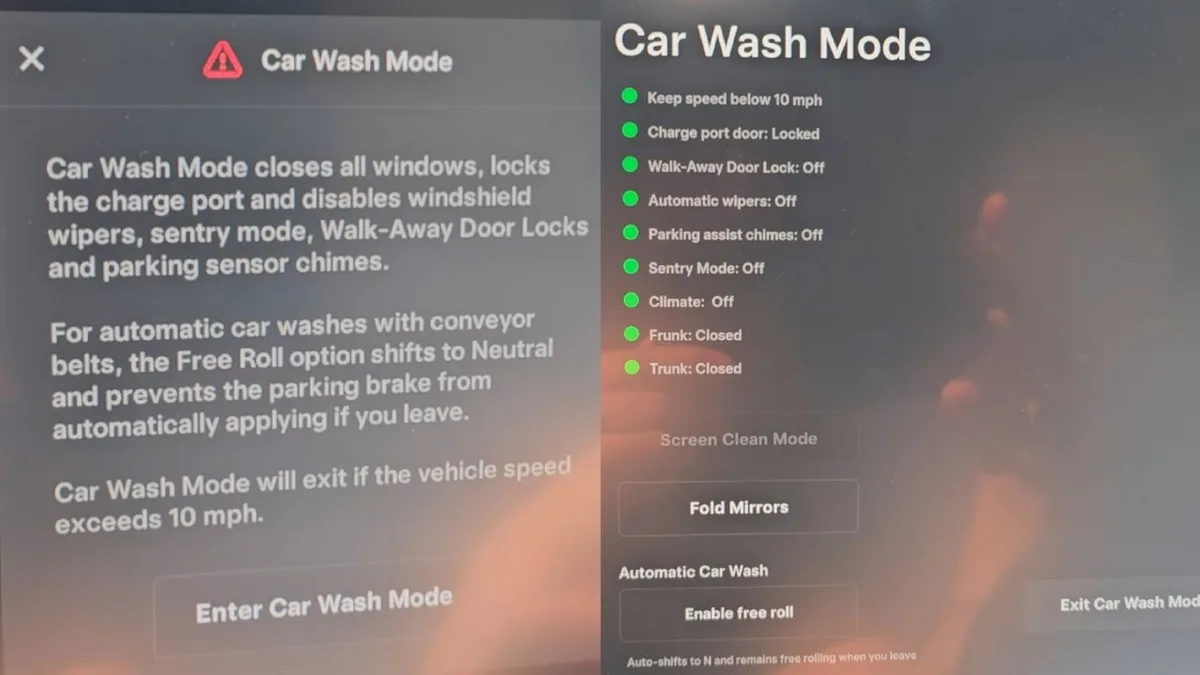
Car Wash Mode solves this by temporarily disabling these features. It also locks the charge port to prevent water from getting in and closes all windows and the sunroof. This mode is designed to protect your Tesla’s sensitive components while ensuring a smooth wash.
Tesla Models That Have Car Wash Mode (And Those That Don’t)
Not every Tesla has Car Wash Mode. It was introduced in software version 2023.38 and is available on most models produced after that update.
| Model | Car Wash Mode Available? | Workaround for Older Models |
|---|---|---|
| Model 3 (2023+) | Yes | Manual disable of Sentry Mode |
| Model Y (2023+) | Yes | Manual disable of Sentry Mode |
| Model S (2023+) | Yes | Manual disable of Sentry Mode |
| Model X (2023+) | Yes | Manual disable of Sentry Mode |
| Cybertruck | Yes (as of 2026) | Check latest software update |
| Pre-2023 Models | No | Disable features individually |
If your Tesla doesn’t have Car Wash Mode, you’ll need to manually disable Sentry Mode, close the windows, and lock the charge port before entering a car wash. For more on keeping your Tesla clean, check out a reliable wash option.
How to Enable Car Wash Mode in Your Tesla
Enabling Car Wash Mode is straightforward if your Tesla supports it.
- Park your Tesla and ensure it’s in Park mode.
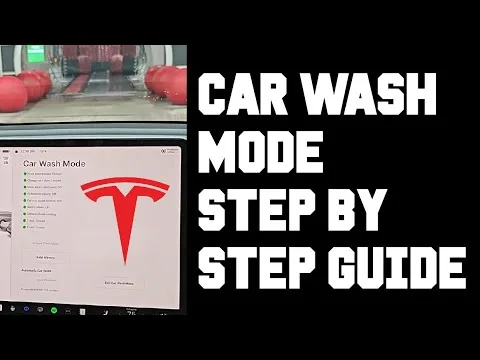
- On the touchscreen, tap Controls > Service > Car Wash Mode.
- Confirm the prompt to activate it.
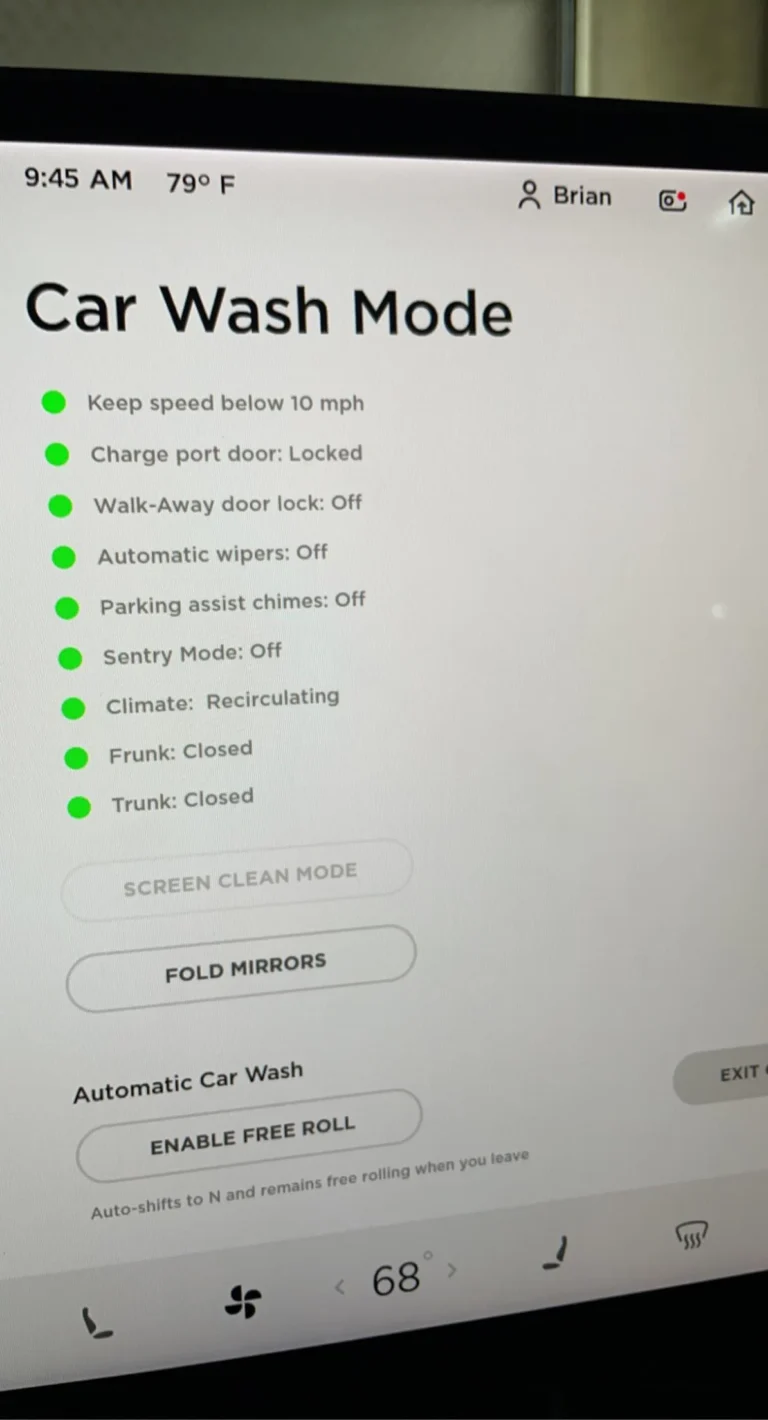
Your Tesla will automatically disable Sentry Mode, close all windows and the sunroof, lock the charge port, and disable automatic wipers.
YouTube / Tesla How To (YouTube thumbnail (fair-use with source credit))
Once activated, you’ll see a notification on the touchscreen confirming Car Wash Mode is on. To turn it off, simply tap Car Wash Mode again or drive above 10 mph.
Per Tesla’s official support page, this mode is designed to last until you manually deactivate it or the car reaches a certain speed.
What Car Wash Mode Actually Disables (And Why It Matters)
Car Wash Mode doesn’t just turn off one feature, it temporarily disables several to protect your Tesla.
- Sentry Mode: Prevents unnecessary recordings that drain your battery. Sentry Mode can consume 1-2% of battery per hour if left active in a car wash.
- Automatic Wipers: Stops them from activating due to water spray, which can waste energy and potentially scratch your paint.
- Charge Port: Locks it to prevent water from entering and damaging the charging components.
- Windows & Sunroof: Closes them automatically to keep water out of the cabin.
YouTube / Tesla How To (YouTube thumbnail (fair-use with source credit))
If any of these features aren’t disabled, you risk water damage, battery drain, or even electrical issues.
Step-by-Step: Prepping Your Tesla for Any Car Wash Type
Start by checking your software version. If you have Car Wash Mode, enable it before entering the wash. For older models, manually disable Sentry Mode in the Controls > Safety & Security menu.
Next, ensure all windows and the sunroof are closed. You can do this manually or let Car Wash Mode handle it. Lock the charge port via the touchscreen or by pressing the button on the charge cable.
Finally, turn off automatic wipers if your Tesla doesn’t have Car Wash Mode. This prevents them from activating during the wash cycle.
Touchless vs. Brush Car Washes: Which Is Safer for Teslas?
YouTube / Julia Caban (YouTube thumbnail (fair-use with source credit))
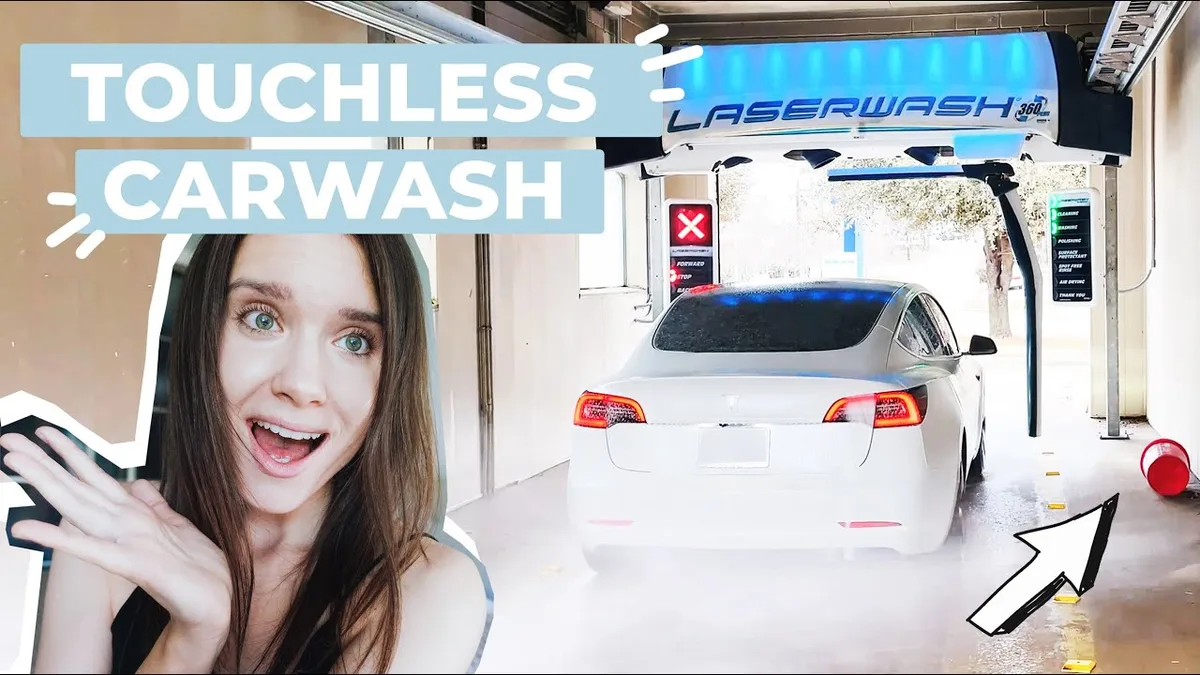
Touchless car washes are generally safer for Teslas. They use high-pressure jets instead of brushes, reducing the risk of scratches on the paint or cameras.
If you must use a brush wash, choose one with soft-cloth brushes. Always disable Sentry Mode and close all windows first. For more on choosing the right wash, see a reliable option.
Common Mistakes That Damage Teslas in Car Washes
Forgetting to disable Sentry Mode is the most common mistake. It drains your battery and fills storage with unnecessary footage.
Leaving the charge port unlocked can let water in, risking electrical damage. Another error is not closing the windows or sunroof. Water can enter the cabin, damaging interior electronics.
Automatic wipers activating mid-wash can also scratch the paint or waste energy.
Post-Wash Checklist: What to Do After the Wash
First, re-enable Sentry Mode if you disabled it manually. Check that all windows and the sunroof are fully closed and sealed. Inspect the charge port for any water or debris before plugging in.
Next, wipe down the cameras and sensors with a microfiber cloth. This ensures they’re clean and functioning properly.
First, re-enable Sentry Mode if you disabled it manually. Check that all windows and the sunroof are fully closed and sealed. Inspect the charge port for any water or debris before plugging in.
Next, wipe down the cameras and sensors with a microfiber cloth. This ensures they’re clean and functioning properly.
Troubleshooting: Car Wash Mode Not Working?
If Car Wash Mode isn’t appearing, your Tesla might need a software update. Check for updates in Controls > Software.
If the option is grayed out, your model may not support it. If the mode activates but doesn’t disable features, try rebooting the touchscreen. Hold both steering wheel scroll buttons for 10 seconds.
If issues persist, consult Tesla’s official support page or a service center.
FAQs About Tesla Car Washes
Does Car Wash Mode work on all Tesla models?
No. Car Wash Mode is available on models with software version 2023.38 or later. Older Teslas require manual disabling of Sentry Mode and other features.
Can I take my Tesla through a brush car wash?
Yes, but it’s riskier. Brushes can scratch the paint or damage sensors. Use soft-cloth brushes and disable Sentry Mode first.
How do I know if Car Wash Mode is active?
You’ll see a notification on the touchscreen. The charge port will lock, and all windows will close automatically.
What happens if I forget to disable Sentry Mode?
Sentry Mode will keep recording, draining your battery. It may also trigger false alarms from the car wash’s movements.
Does Car Wash Mode turn off automatically?
Yes. It deactivates when you drive above 10 mph or manually turn it off.
Can water damage my Tesla’s charge port?
Yes. Water in the charge port can cause corrosion or electrical issues. Always lock it before a wash.