Black Friday deals are live on Amazon · limited-time discounts, grab them before they’re gone
Grab the deals

ByMax Lee
BMW i4 Car Wash Mode: Step-by-Step Guide to Sensor Safety
The BMW i4 can go through a car wash safely, but it should be prepared differently from a conventional car. Its parking sensors, cameras, driver-assistance systems, electric parking brake, automatic wipers, flush door handles, and high-voltage charging equipment all need consideration.
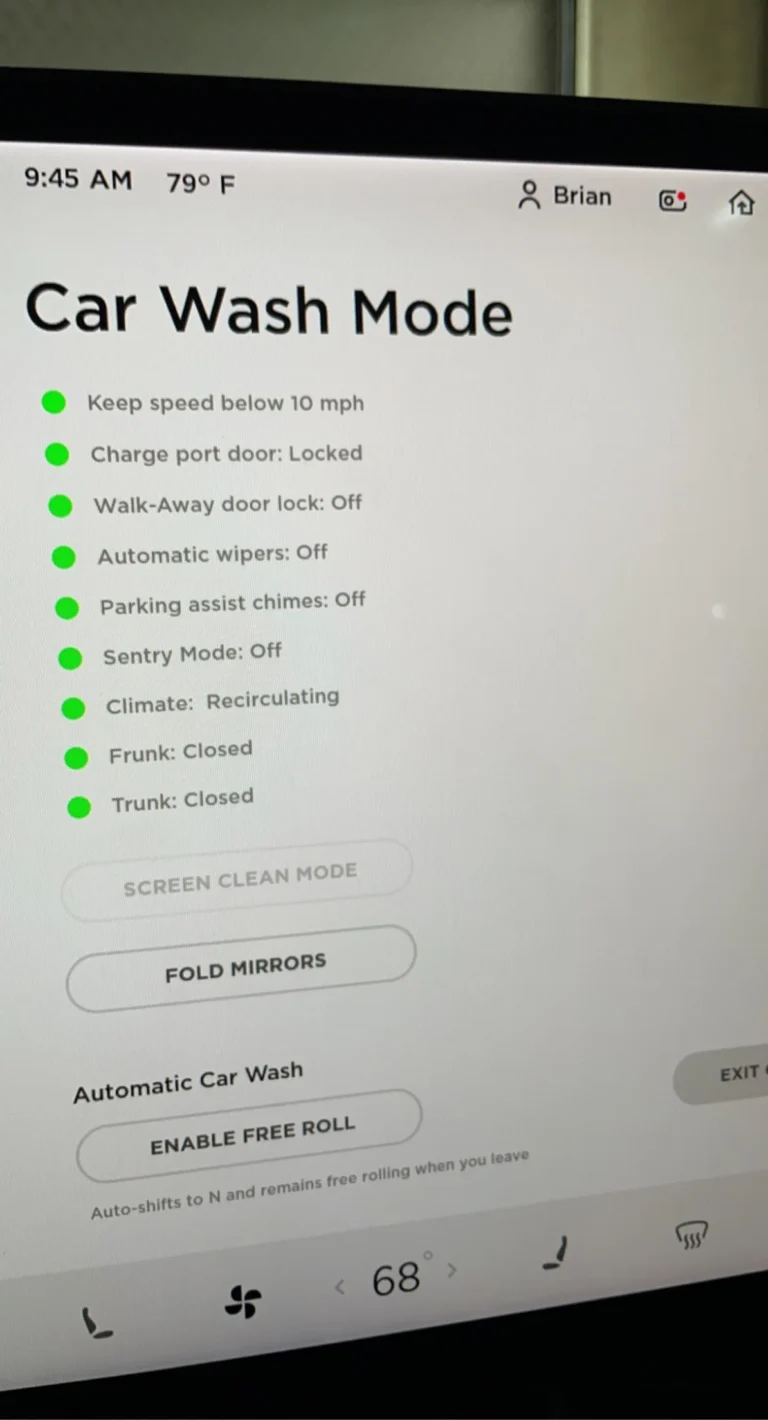
Car Wash Mode—when available in your i4’s iDrive software—helps configure the car for a conveyor or automatic wash. It does not make the vehicle immune to physical damage, and menu names can vary by model year, market, and iDrive version. Always follow the instructions shown on your car’s display and the current owner’s manual. You can also read our guide on are automatic car washes bad for your paint.
This guide explains how to prepare a BMW i4, activate or manually configure its wash settings, keep it moving safely in Neutral, and check the car after the wash.
What BMW i4 Car Wash Mode Does
Car Wash Mode is intended to reduce driver-assistance interruptions while the vehicle is being moved through a wash. Depending on the i4’s software version and equipment, it may help with settings such as:
- Keeping the vehicle in Neutral so it can roll on a conveyor
- Preventing the vehicle from applying the parking brake unexpectedly
- Suppressing parking-sensor warnings caused by brushes, spray arms, or tunnel equipment
- Keeping windows, doors, and the glass roof closed
- Guiding the driver through a preparation checklist
- Reducing the chance that automatic functions interfere with the wash process
The exact behavior is not identical on every BMW i4. Some vehicles display a dedicated wash procedure, while others require the driver to configure Neutral and related settings manually.
A common mistake is assuming that Car Wash Mode physically protects every sensor. It does not. Radar units, cameras, ultrasonic sensors, door handles, mirrors, trim, and charging-port components can still be affected by impact, contaminated wash water, excessive pressure, or poorly maintained equipment.
For a broader explanation of BMW’s different vehicle-moving settings, review this guide to BMW wash and transport settings.
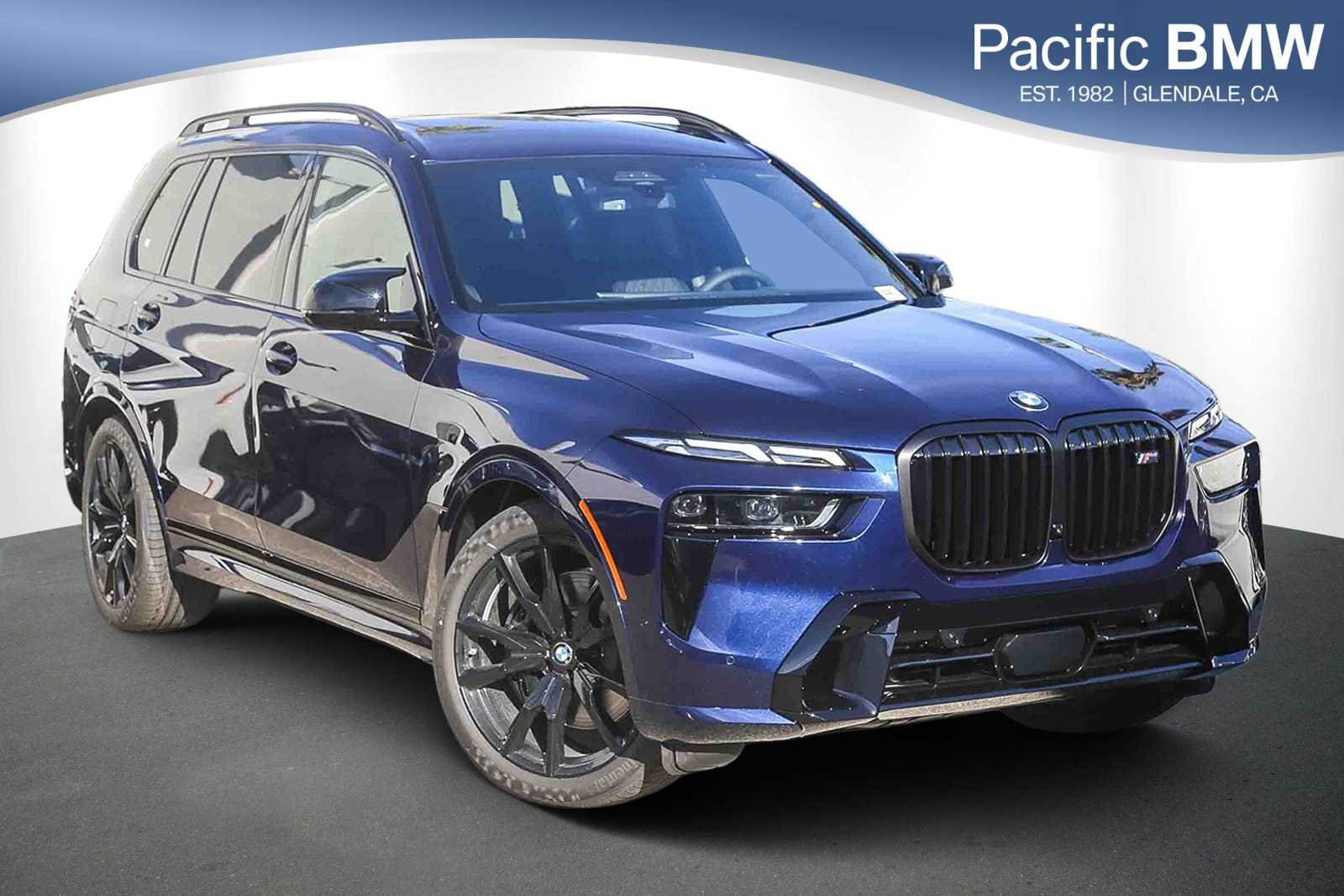
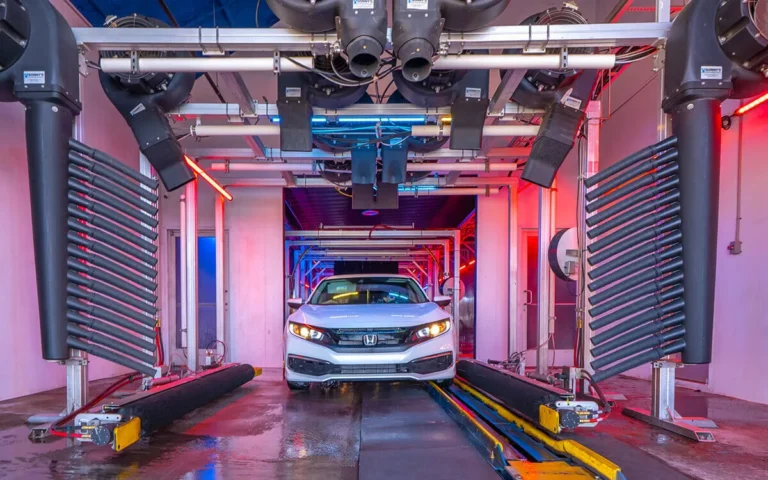
The i4 should be fully closed and configured before entering a conveyor wash.
Credit: www.pacificbmw.com
Before You Enter the Wash
Take a moment to inspect the type of wash and prepare the car before joining the conveyor. The safest procedure depends partly on the equipment.
Choose the right type of wash
A touchless wash avoids direct brush contact, but it may use strong jets and aggressive chemicals. A conveyor wash with brushes introduces physical contact and requires the car to roll freely. A hand wash gives you the most control, but high-pressure water can still damage seals, cameras, sensors, or charging components if used incorrectly.
If paint preservation is your priority, a careful hand wash using a two-bucket cleaning method generally gives you more control over contact and contamination.
Complete this preparation checklist
Before activating Car Wash Mode:
- Close every window. Check the side windows and glass roof, if equipped.
- Close all doors, the trunk, and the hood. Do not rely only on the instrument-panel warning.
- Unplug the vehicle. Never take the i4 through a wash while it is connected to a charging cable.
- Close the charging flap. Confirm that the flap is latched before water reaches the side of the vehicle.
- Fold the exterior mirrors. Use the mirror-folding control if the wash instructions permit it.
- Turn off automatic windshield wipers. Otherwise, water can activate the wipers while the car is stationary.
- Remove loose accessories. Take off magnetic signs, temporary antennas, unsecured roof items, and removable bicycle or cargo equipment.
- Check the wash’s instructions. Some conveyors require the driver to remain in the vehicle; others may direct the driver to open the door or shift in a particular sequence.
Do not use a wash with damaged brushes, exposed metal, a misaligned conveyor, or unclear operating instructions. If an attendant tells you to use a procedure that conflicts with the iDrive display or owner’s manual, pause and clarify it before entering.
How to Activate BMW i4 Car Wash Mode
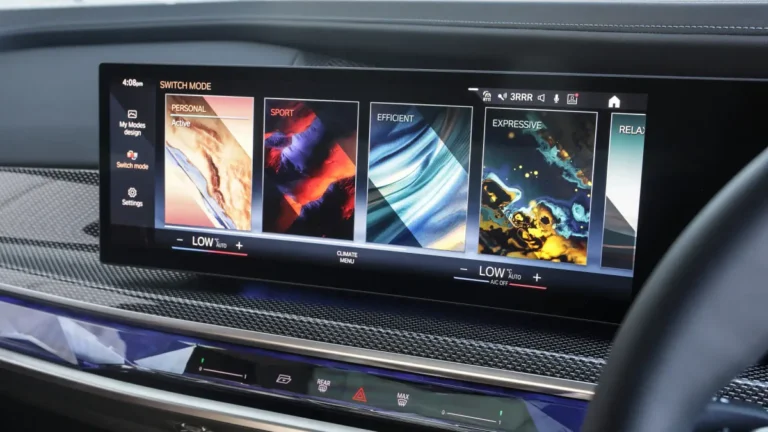
The menu can differ between i4 model years and software releases. Do not treat a particular button sequence as universal. With the vehicle stationary, use the center display and look for a wash-related function under the vehicle or exterior settings.
A typical process is:
- Switch the i4 on while your foot is on the brake.
- Open the Vehicle, Settings, or Apps area on the iDrive screen.
- Look for Car Wash Mode, Car wash, or a similar exterior-cleaning option.
- Select the function and read the checklist rather than dismissing it.
- Confirm the requested settings, including windows, doors, mirrors, and rolling mode.
- Follow the display’s instructions for selecting Neutral.
- Keep the confirmation screen visible until the vehicle is correctly positioned for the wash.
If your i4 does not show a dedicated Car Wash Mode, use the manual procedure in the next section. A missing menu does not automatically mean the vehicle is malfunctioning; the available functions depend on software and equipment.
BMW’s official site is a useful starting point for current owner support, but the vehicle-specific manual and on-screen instructions take priority.
Manual Setup When Car Wash Mode Is Not Available
Some i4 owners will not find a dedicated wash command, or the wash may require settings that the vehicle does not automatically configure. In that situation:
- Turn off automatic wipers.
- Close and lock the windows, doors, trunk, and glass roof.
- Fold the mirrors if permitted by the wash.
- Make sure the charging flap is closed.
- Disable or avoid automatic functions that could prevent rolling, such as an active parking-brake or hold function, following the vehicle’s displayed instructions.
- Select Neutral (N) only when the car is ready to move into the conveyor.
- Confirm that the vehicle remains in Neutral before releasing the brake.
Do not experiment with Neutral, Park, or parking-brake settings while the conveyor is moving. If the iDrive display gives different instructions, follow the display. If you cannot confirm that the i4 will roll freely, ask the attendant to stop the conveyor and use a different wash.
Selecting Neutral for a Conveyor Wash
The i4 must normally roll freely on a conveyor. The exact selector action varies by BMW software and equipment, but the safe sequence is generally:
- Stop at the wash entrance.
- Keep your foot firmly on the brake.
- Activate Car Wash Mode if the vehicle provides it.
- Select N using the gear selector.
- Confirm the Neutral indication on the instrument display.
- Keep the brake applied until the attendant or conveyor signals you to proceed.
- Release the brake smoothly only when the vehicle is correctly aligned.
Do not select Park once the vehicle is on the conveyor unless the attendant tells you to do so because of an emergency. Selecting Park while the car is being pulled can stop the vehicle abruptly and may interfere with the equipment.
Seat-belt, door, brake, and driver-presence logic can affect whether a vehicle stays in Neutral. This is why the on-screen wash procedure matters more than relying on memory from another BMW or electric vehicle.
For context on what a wash operator does and why following the tunnel’s signals matters, see this explanation of the attendant’s role.
What Not to Assume About Sensors and Cameras
Car Wash Mode helps prevent false alerts, but it is not a blanket sensor shutdown and it does not shield components from water pressure or impact.
The i4 may use several exterior sensing components, including:
- Parking sensors in the bumpers
- Forward- and rear-facing cameras
- Surround-view cameras, if equipped
- Radar or other driver-assistance hardware, depending on configuration
- Rain and light sensors near the windshield
- Door-handle and trunk-opening sensors
Avoid aiming a pressure washer directly at cameras, sensor faces, radar covers, door-handle gaps, charging connectors, or weather seals. Keep the nozzle at a safe distance and use a broad spray rather than a concentrated jet. Never insert tools, brushes, or drying cloths into the charging socket.
Water, soap film, wax, ice, and road grime can temporarily obstruct a camera or sensor. A warning immediately after a wash is often contamination rather than permanent damage, but persistent warnings should be investigated.
After the Wash: Exit the Mode and Inspect the Car
Do not drive away immediately after the conveyor releases the i4.
- Stop in a safe area outside the wash.
- Select Park while holding the brake.
- Exit Car Wash Mode using the on-screen command, if the vehicle activated it.
- Confirm that normal parking, braking, and driver-assistance settings have returned.
- Check that the mirrors have unfolded as intended.
- Inspect the windows, glass roof, doors, trunk, and charging flap.
- Wipe water from cameras and sensor surfaces with a clean, soft microfiber towel.
- Check the instrument display for warnings before entering traffic.
The most important step is exiting the mode. Leaving a wash-specific configuration active can change how parking aids or other vehicle functions behave. If the iDrive screen does not clearly confirm that normal operation has resumed, stop and consult the vehicle’s manual or a BMW service department before continuing.
For advice on documenting damage if equipment contacts the vehicle, keep this wash-damage documentation guide available before you enter the tunnel.
Common BMW i4 Car Wash Mistakes
Leaving automatic wipers enabled
Water can trigger the wipers, and brushes or wash equipment can catch a moving blade. Turn the automatic function off before entering.
Forgetting the charging flap
The flap may be closed but not fully latched. Check it physically, and never wash the vehicle while the charging cable is connected.
Selecting Park on the conveyor
Park can prevent the i4 from rolling and may abruptly stop the vehicle. Confirm Neutral before the conveyor begins pulling.
Assuming touchless means risk-free
Touchless systems avoid brush contact, but high-pressure spray and chemical cleaners can still affect seals, trim, cameras, and sensors.
Using a household pressure washer too close
A narrow, high-pressure stream can force water past seals or damage delicate exterior components. Use a wide spray pattern and maintain generous distance.
Driving away without checking warnings
A sensor covered with foam or water may produce a temporary warning. Clean the affected area and reassess before relying on parking or driver-assistance features.
Treating a warning as harmless
If a warning remains after the car is clean and dry, do not repeatedly reset it. Photograph the message, note which function is affected, and arrange a professional inspection.
Is Hand Washing Safer?
Hand washing offers better control because you can avoid vulnerable components and stop whenever you notice a problem. It is not automatically safer, however. Dirty wash mitts, abrasive towels, or a concentrated pressure stream can harm the paint and exterior hardware.
For a careful hand wash:
- Work from the roof downward.
- Rinse loose grit before touching the paint.
- Use separate tools for wheels and painted surfaces.
- Avoid forcing water into the charging port.
- Do not scrub camera lenses or sensor covers with abrasive material.
- Dry seams, mirror housings, door handles, and charging-flap edges gently.
For a hand wash, you usually do not need conveyor-specific Neutral settings. You should still close the vehicle, turn off automatic wipers, and follow any instructions displayed by the iDrive system.
What to Do If the i4 Shows a Warning After Washing
A temporary warning can result from moisture or residue. Use this sequence:
- Park safely and switch the vehicle off if appropriate.
- Inspect the relevant camera and sensor areas.
- Remove visible foam, dirt, or water with a clean microfiber cloth.
- Allow the vehicle to dry.
- Restart the vehicle and check whether the warning clears.
- Test only low-risk functions in a safe, open area.
- Contact BMW service if the message remains, braking behavior changes, or a camera view is unavailable.
Do not rely on adaptive cruise control, automatic emergency braking, parking assistance, or other driver-assistance features while a related warning is active. These systems are aids, not substitutes for attentive driving, and a sensor fault can limit or disable their operation.
BMW i4 Car Wash Mode FAQ
Does every BMW i4 have a dedicated Car Wash Mode?
No. The available function depends on model year, market, equipment, and iDrive software. Some vehicles provide a dedicated wash procedure; others require manual preparation for Neutral, wipers, mirrors, and vehicle closure.
Can I use an automatic car wash with my BMW i4?
Yes, provided the wash is compatible with the vehicle and you follow its instructions. A conveyor wash requires particular care with Neutral and rolling. Avoid equipment that looks damaged or uses poorly maintained brushes.
Is a touchless wash better for i4 sensors?
A touchless wash avoids direct brush contact, which can reduce the risk of scratching or catching mirrors and trim. It can still expose the vehicle to high-pressure water and chemicals, so proper preparation remains necessary.
Should I leave the BMW i4 in Neutral after the wash?
No. Once the car is safely outside the conveyor, select Park and exit the wash procedure. Confirm that normal vehicle settings have returned before driving away.
Can I wash the i4 while it is charging?
Do not take the vehicle through a wash with the charging cable connected. End charging, unplug the cable safely, close the charging flap, and verify that it is latched.
What if parking sensors stop working after the wash?
Clean and dry the sensor surfaces, then check whether the warning clears. If it persists, avoid relying on the affected assistance system and arrange a BMW inspection.
Can high-pressure water damage the BMW i4?
Yes, if directed too closely or at a vulnerable angle. Avoid concentrated spray on cameras, sensor covers, door handles, charging equipment, seals, and trim.
Conclusion
The safest BMW i4 car wash routine is simple: prepare the vehicle, use Car Wash Mode when your software provides it, confirm Neutral before entering a conveyor, avoid direct high-pressure spray on sensitive components, and exit the mode before driving away.
Your next step is to sit in the parked i4 and locate the wash-related settings in iDrive before your next visit. That one-minute check is safer than trying to find the correct procedure while the conveyor is waiting.