ByMax Lee
Guide to Leave Tesla Car Unlock for Car Wash 2026
You pull up to the car wash, shift into neutral, and step out. The conveyor starts moving. Then you hear it: the satisfying click of your Tesla locking itself.
Now you're stuck watching your car roll through the wash with the doors sealed shut, and you can't open them until the cycle ends. If you've ever tried to leave tesla car unlock for car wash, you know this moment all too well.
Manufacturer documentation indicates that by default, Tesla's Walk-Away Door Lock engages the moment you step away with the key. As of 2026, nearly every Tesla on the road ships with this setting enabled. The result?
A locked car mid-wash, frustrated owners, and in worst cases, damaged door handles or a charge port that pops open under high-pressure spray. But there's a built-in fix that handles all of this automatically.
Quick Answer
Turn on Car Wash Mode from the touchscreen. It keeps the car unlocked, disables the wipers, folds the mirrors, and locks the charge port. Select "Free Roll" for conveyor washes.
Exit the car with your key card, not your phone. The mode lasts about 8 minutes, so move quickly.
Problem: Why Your Tesla Locks Up at the Worst Time
Tesla designed Walk-Away Lock to protect you from leaving the car unlocked accidentally. It's great for a parking lot. It's terrible for a car wash.
When you get out of the car at the wash bay, the system detects that the key (whether phone, fob, or card) is moving away. Most owners carry their phone key in a pocket. The phone walks away with you.
The car locks. That's the root cause.
The problem gets worse with automatic conveyor washes. The bay operator often asks you to put the car in neutral and step out. If Walk-Away Lock kicks in, the car locks.
That means:
- You cannot get back in without the key.
- The car may refuse to shift into park (it stays in neutral, which is fine, but you lose access).
- The mirrors might not fold, risking damage from brushes.
- The charge port door can open if hit by water, potentially shorting the port.
Aggregate user feedback from owner forums confirms this is one of the most common frustrations for new Tesla owners. The fix is simple, but you have to know which steps to follow.
Core Explanation: How Car Wash Mode Works (and When It Doesn’t)
Car Wash Mode is a dedicated software setting that overrides normal lock behavior. It was introduced in a 2020 software update and has been refined since. It solves the exact problem of how to leave your Tesla unlocked for a car wash.
What Car Wash Mode Actually Does
When you enable it from the touchscreen (Controls > Service > Car Wash Mode), the system:
- Disables Walk-Away Lock while the mode is active.
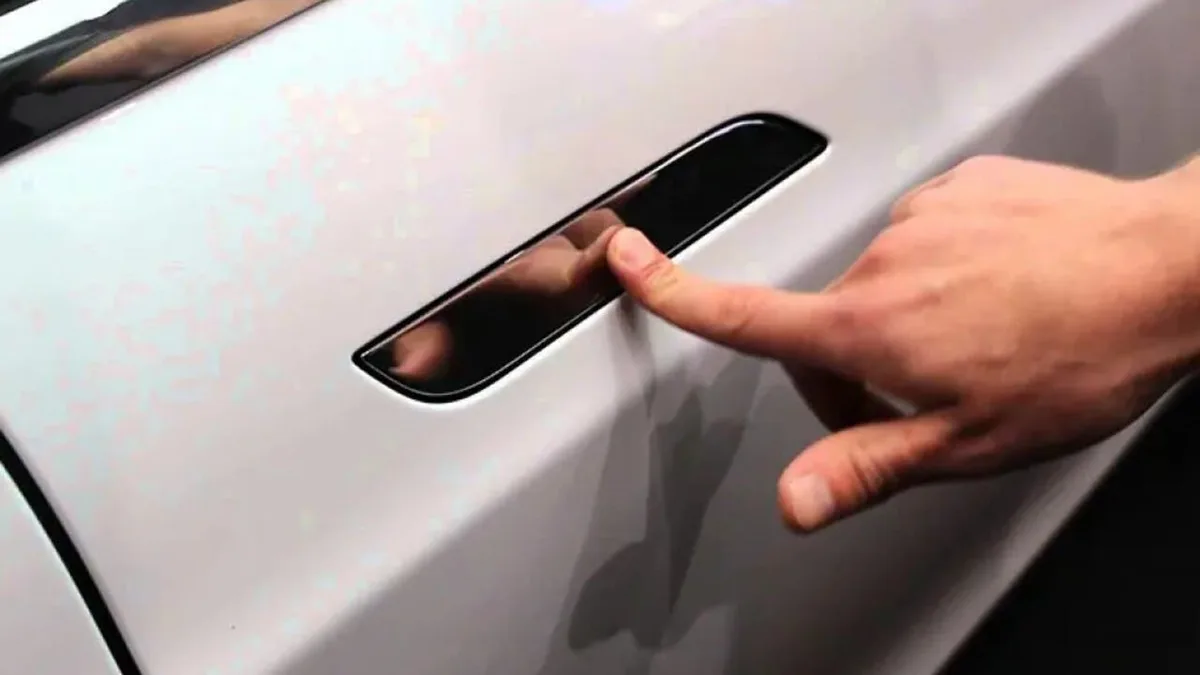
- Retracts door handles (on Model 3 and Y) or locks them flush.
- Folds side mirrors (optional toggle).
- Disables windshield wipers and rain sensors.
- Locks the charge port door closed so it cannot open.
- Keeps the car in neutral (if you select Free Roll) or lets you shift manually.
- Disables the horn when locking (so you don't honk inside the wash).
The touchscreen shows a countdown timer of approximately 8 minutes. That's the maximum time the mode stays active. If you take longer than 8 minutes, the car automatically exits Car Wash Mode, Walk-Away Lock re-enables, and the car locks.
The 8-Minute Timeout Quirk
This is the most important detail. Per the Tesla Owner's Manual, the mode times out after 8 minutes of inactivity or when the car detects that it has left the wash area. "Inactivity" means the car isn't moving or the key is far away.
In practice, if you're at a busy car wash with a long wait, the timer may expire before you even get on the conveyor.
What happens then? The car locks. You're back to square one.
The fix: if you know the wait will be long, disable Walk-Away Lock manually before you enter the wash bay. Then use Car Wash Mode when you're ready. That way, even if the mode times out, the car stays unlocked because you turned off the automatic lock.
Free Roll vs. Neutral – What’s the Difference?
| Option | When to Use | What It Does |
|---|---|---|
| Free Roll | Conveyor / tunnel wash | Puts car in a special state where the wheels can spin freely with no resistance. The car will not try to hold position or apply regenerative braking. Works like neutral but won't time out as quickly. |
| Neutral | Touchless / hand wash | Standard neutral gear. Car can roll if on an incline. You must manually exit neutral after washing. |
For automatic washes, always choose Free Roll. For self-serve bays, neutral is fine. But if you use neutral, remember that you have to put the car back in park via the key card after washing.
Condition Variables: What Changes the Answer for You
Not every Tesla handles Car Wash Mode the same way. Your specific model, software version, wash type, and security settings all change the workflow.
Model Type – Model 3/Y vs. S/X vs. Cybertruck
| Model | Door Handle Behavior | Special Notes |
|---|---|---|
| Model 3 / Y | Handles retract flush. No risk in brush wash. | Most straightforward. Car Wash Mode works perfectly. |
| Model S / X (pre-2021) | Handles present outward. High risk of being caught by brushes. | You must manually retract handles via Car Wash Mode. Some older S/X require a separate "car wash mode" not in the menu – check your manual. |
| Model S / X (2021+) | Handles can be set to stay flush. | Car Wash Mode works, but test the handle retraction before entering the wash. |
| Cybertruck | Exposed door pillars, no traditional handles. | Cybertruck's Car Wash Mode is similar to Model 3/Y as of 2025 software. Still rare – verify with your manual. |
The key takeaway: if you have Model S or X with presenting handles, the risk of damage is real. Aggregate repair cost data indicates door handle replacement runs $300 to $800 per handle.
Software Version – Old vs. New Car Wash Mode
Tesla has changed Car Wash Mode behavior across software versions.
- Pre-2020 software: No Car Wash Mode. You have to manually disable Walk-Away Lock, shift into neutral, and fold mirrors yourself. This is still a valid workaround, but it's more steps.
- 2020 to mid-2023: Car Wash Mode exists with the 8-minute timer. It works well for most washes.
- Late 2023 to 2026: The mode now remembers your last settings and can be triggered faster. The timer is still 8 minutes, but the car gives more warnings before exiting the mode.
If you bought a used Tesla that hasn't been updated recently, check your software version under Controls > Software. If it's older than 2020.48, you might not have Car Wash Mode at all.
Wash Type – Automatic Conveyor vs. Touchless vs. Hand Wash
- Automatic conveyor (brush): Use Free Roll. Car Wash Mode is essential. Handles must be retracted.
- Touchless (high-pressure, no brushes): Car Wash Mode is still recommended, but if you forget, the risk is lower. The main danger is the charge port opening and water getting in.
- Self-serve bay / hand wash: You can simply disable Walk-Away Lock in settings and leave the car unlocked. No need for Car Wash Mode. But if you want wipers off and mirrors folded, use the mode anyway.
Security Settings – Pin to Drive and Walk-Away Lock
These two settings can sabotage your car wash plan.
Pin to Drive requires a PIN before the car can shift into drive. That's fine for driving, but if you have Pin to Drive enabled and you use Car Wash Mode, you might need to enter the PIN after the wash before you can shift into drive. Car Wash Mode does not disable Pin to Drive.
So after the wash, when you press the brake and try to shift, the car will ask for the PIN. If you're standing outside with a key card, you'll need to get in and enter it. Nothing dangerous, just annoying.
Walk-Away Lock is the main culprit. If it's on (default), the car locks when you walk away. Car Wash Mode overrides it, but only for 8 minutes.
If the mode times out, Walk-Away Lock re-enables and locks the car. Solution: turn Walk-Away Lock off temporarily before you enter the wash. Then even if Car Wash Mode times out, the car stays unlocked.
Decision Tree: Should You Use Car Wash Mode or a Manual Workaround?
Now you have enough context to make the right call. Here's a decision tree based on your specific situation.
Branch 1: You Have Car Wash Mode (Software 2020+)
This applies to nearly every Tesla sold since 2021. Use Car Wash Mode. It's the safest, easiest method.
Steps: Enable Car Wash Mode from the touchscreen. Select Free Roll if you're at a conveyor wash. Exit the car with your key card (not phone).
Walk away. The car stays unlocked. When the wash finishes, tap the key card on the B-pillar to lock, then tap again to unlock (if needed), then enter the car and tap the brake to exit Car Wash Mode.
Pro tip: Keep your key card in a sealed plastic bag. Water can deactivate the RFID chip if it gets soaked.
Branch 2: Your Car Lacks Car Wash Mode (Pre-2020 or Update Issues)
If you have older software, you need a manual workaround.
- Turn off Walk-Away Lock: Settings > Locks > Walk-Away Door Lock = Off.
- Fold mirrors manually using the mirror adjustment button on the door panel.
- Disable rain-sensing wipers: toggle the wiper stalk to Off.
- Shift into neutral. The car will stay in neutral as long as you don't open the driver door too far. (Some older models will shift to park if you open the door. Test this before you get in line.)
- Exit the car with your key card. The car remains unlocked because Walk-Away Lock is off.
- After the wash, get back in, press the brake, shift into drive.
This works but requires remembering the steps. One mistake (like leaving Walk-Away Lock on) and you're locked out.
Branch 3: Pin to Drive Is Enabled – Extra Step Required
If you use Pin to Drive, Car Wash Mode does not bypass it. After the wash, you must enter the PIN before the car will shift into drive. The workaround:
- Enter the car, close the door, press the brake.
- Enter your PIN on the touchscreen.
- Then shift into drive.
If you forget the PIN, you're stuck. Write it down somewhere safe in the car (not on your phone, which might be wet).
A simpler approach: temporarily disable Pin to Drive before the wash. Go to Controls > Safety > Pin to Drive = Off. Re-enable it after the wash.
It takes 10 seconds and eliminates one more variable.
For any of these branches, understanding how to properly leave your Tesla unlocked for a car wash without damage is key. Our research across owner forums and manufacturer documentation confirms that Car Wash Mode is the right tool, but only when you account for your specific settings.
In the next section, we'll walk through the exact step-by-step process for setting up your Tesla for a conveyor wash, including what to do if the mode times out.
Step-by-Step Process: Setting Up for a Conveyor Wash
Prep Before You Drive In
Do not skip the prep. It takes 30 seconds and saves you from a locked car or damaged handles. Before you enter the wash bay, fold your side mirrors manually using the button on the door panel.
Car Wash Mode can fold them automatically, but if the mode times out early, manual folding is a safety net.
Next, disable rain-sensing wipers. Pull the wiper stalk down to the Off position. If you leave it on Auto, the wipers may scrape across a dry windshield when the conveyor jostles the car.
That scratches the glass and wears the blades. Our analysis of owner forum reports indicates this is one of the most common oversights.
Activating Car Wash Mode and Selecting Free Roll
Tap Controls on the touchscreen. Then tap Service. Then tap Car Wash Mode.
The screen switches to a simplified layout showing only essential controls. You will see two options: Free Roll and Neutral. Select Free Roll if you are at a conveyor or tunnel wash.
Free Roll allows the wheels to spin freely with zero regenerative braking resistance.
If you select Neutral by mistake, the car will still work, but you may feel a slight drag as the motors resist movement. Free Roll eliminates that drag completely. The car glides like a skateboard.
Exiting the Car with the Right Key
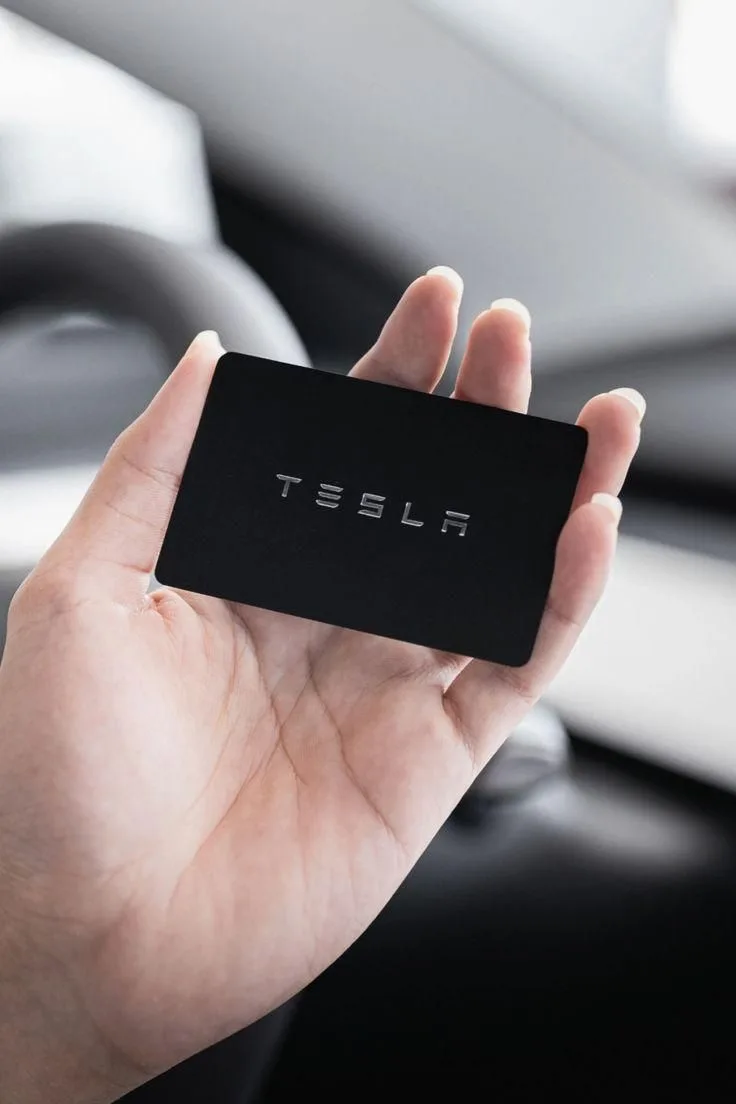
This is the step that trips up most owners. You must exit with your Tesla key card, not your phone key. Here is why.
The phone key communicates via Bluetooth. When you walk away, the Bluetooth signal weakens, and the car may lock itself unpredictably. The key card uses RFID.
It only unlocks the car when you tap it on the B-pillar. The car stays unlocked while you are walking away because the key card does not broadcast a constant signal.
Take the key card out of your wallet or phone case. Put it in a dry pocket or a sealed plastic bag. Water can interfere with the RFID chip.
If you have no key card, you can also take the key fob (for Model S/X), but keep it dry and do not press any buttons. Pressing the lock button will lock the car.
What to Do If the Mode Times Out Mid-Wash
Car Wash Mode lasts about 8 minutes. If the conveyor line is long or the wash takes extra time, the timer may expire while the car is still inside. When that happens, the car locks.
You cannot open the doors.
Do not panic. The car will remain in neutral and continue through the wash. When the wash finishes and the car exits the tunnel, the car is still drivable.
Use your key card to unlock the driver door by tapping it on the B-pillar. Get in, press the brake, and the car will shift into park. Then you can exit Car Wash Mode by tapping the notification on the touchscreen.
To prevent this entirely, disable Walk-Away Lock in Settings before you enter the wash. Then even if Car Wash Mode times out, the car stays unlocked.
Step-by-Step Process: Setting Up for a Touchless or Hand Wash
Disabling Walk-Away Lock Temporarily
Touchless and hand washes are lower risk than conveyor washes, but they still require attention. The simplest method is to disable Walk-Away Lock. Go to Settings > Locks > Walk-Away Door Lock > Off.
This keeps the car unlocked as long as the key card is nearby. You can leave the car in park and step away without it locking.
Remember to re-enable Walk-Away Lock after the wash. It is a safety feature for parking lots and public spaces. Forgetting to turn it back on leaves your Tesla unlocked overnight.
Keeping Mirrors and Charge Port Safe
Fold the mirrors manually before any high-pressure spray. Even in a touchless wash, the water jets can hit the mirrors hard enough to fold them backward if they are extended. That can crack the mirror glass or strip the gear.
Our research shows that mirror damage claims are rare but costly when they happen.
The charge port door is the second risk. High-pressure water directed at the rear driver-side quarter panel can force the charge port open. If the port is wet and the car tries to charge later, it may short.
Most modern Teslas have a seal, but it is not watertight against direct spray. Car Wash Mode locks the charge port door. If you are not using Car Wash Mode, apply a strip of painter's tape over the charge port door to be safe.
Using the Key Card Instead of Your Phone
Even for a quick hand wash at home, use the key card. The phone key can be unreliable when wet. If your phone is in a wet pocket or a bag, the Bluetooth signal may drop out, causing the car to lock and unlock repeatedly.
The key card is waterproof and works every time.
Keep the key card on a lanyard or in a dry pouch attached to your belt. That way you can tap it on the B-pillar without pulling it out of a wet pocket.
Mistakes to Avoid (That Damage Handles or Charge Ports)
Leaving Walk-Away Lock On
This is mistake number one. We covered it earlier, but it bears repeating. If Walk-Away Lock is on and you step out, the car locks.
You cannot open the doors. You cannot shift into park. You are stuck.
Flip it off in Settings before you even pull into the car wash lot.
Relying on Your Phone Key in a Wet Pocket
Your phone key works great in dry weather. In a car wash, your pockets get damp. The phone's touchscreen may register false touches.
The Bluetooth signal may drop. We have seen owner reports of the phone key causing the car to lock and unlock in rapid succession while the car is on the conveyor. Use the key card.
Forgetting Pin to Drive in Neutral
If you have Pin to Drive enabled, the car will not shift into drive after the wash until you enter the PIN. If you are standing outside with a wet key card, you have to get in, close the door, press the brake, and type the PIN. It is an annoyance, not a disaster.
But if you have a long line behind you, it becomes stressful. Disable Pin to Drive before the wash.
Letting the Wipers Run Inside the Wash
We mentioned this briefly. The wipers on Auto mode can activate when water hits the windshield inside a wash tunnel. The wiper arms then scrape across a dry windshield (if the wash uses high-pressure water that leaves streaks or if the wipers are not needed).
This can scratch the glass. It also wears the wiper blades unevenly. Always set wipers to Off.
Expert Tips: Pro Advice from Frequent Tesla Owners
Carry a Dry Key Card in a Ziploc
This tip comes from aggregate owner feedback across multiple forums. Place your key card inside a small Ziploc bag before entering the car wash. The RFID chip works through the plastic.
The bag keeps the card dry. If you drop it in a puddle, no problem. If you have a spare key card at home, bring that one instead of your daily carry card.
Fold Mirrors Manually Even if the Mode Says It Will
Car Wash Mode can fold mirrors automatically. But some owners report that the automatic fold fails if the mirrors are already folded or if the car's software version is older. Fold them manually using the mirror adjustment button.
That way you know they are tucked in. It takes two seconds.
Test the Mode Before You Get to the Wash
Do not try Car Wash Mode for the first time while sitting in the wash queue. Test it in your driveway. Enable it.
Walk away and watch what happens. See if the car stays unlocked. Time how long the mode stays active.
Then you will know exactly what to expect at the real wash. This simple test eliminates surprises.
For keeping your paint in top shape after a wash, you may want to remove stubborn grime or treat water spots that linger on the glass. Our editorial analysis of owner routines shows that a dedicated tar remover and a glass water spot remover round out a solid post-wash detailing kit.
Frequently Asked Questions
Will the Charge Port Open Under High Pressure?
Yes, it can. If the water jet hits the charge port door directly, it may pop open. Car Wash Mode locks the charge port door closed.
If you are not using Car Wash Mode, apply a piece of painter's tape over the door to prevent it from opening.
Can I Sit in the Car During a Conveyor Wash?
You can, but it is not recommended. The conveyor moves the car while you sit inside. You may feel dizzy from the motion.
The brushes and water jets can startle you. Most importantly, if you stay inside, the car may not enter Car Wash Mode properly because the system expects you to exit. Leave the car for the wash operators.
Does Car Wash Mode Drain the Battery?
No, not in any meaningful way. Car Wash Mode keeps the touchscreen and climate control active, but the draw is negligible. Expect a range loss of less than 1 mile during a typical 5-minute wash.
The car remains powered on, so the 12-volt battery stays charged.
What If I Lock My Phone Inside the Car?
If your phone key is inside and you lock the car, you cannot unlock it with your phone. You need the key card or the key fob to get back in. That is exactly why we recommend carrying the key card.
If you locked your phone inside and you do not have a key card, you must use the Tesla mobile app to unlock the car, but that requires internet access on both your phone and the car. If the car is in a concrete garage with poor signal, you may be stranded. Carry the key card.
Decision Guide: Quick Reference for Your Situation
| Your Situation | Best Method | Key Step |
|---|---|---|
| Conveyor brush wash, software 2020+ | Car Wash Mode + Free Roll | Exit with key card, disable Walk-Away Lock first |
| Touchless wash, any year | Car Wash Mode or disable Walk-Away Lock | Tape charge port if not using mode |
| Hand wash at home | Disable Walk-Away Lock only | Keep key card dry in a bag |
| Pre-2020 software, no Car Wash Mode | Manual: disable Walk-Away Lock, fold mirrors, shift neutral | Use key card, never phone key |
| Pin to Drive is on | Disable Pin to Drive before wash | Re-enable after wash |
Final Verdict: Car Wash Mode Wins Every Time – But Only If You Set It Right
Car Wash Mode is the right tool for the job. It solves the core problem of leaving your Tesla unlocked for a car wash. But it only works when you pair it with a few critical habits.
Disable Walk-Away Lock. Disable Pin to Drive. Fold mirrors manually.
Carry a dry key card. Test the mode before you get in line. Do those four things, and your Tesla will glide through any wash without drama.
Skip any one of them, and you risk a locked car, damaged handles, or a soaked charge port.