Black Friday deals are live on Amazon · limited-time discounts, grab them before they’re gone
Grab the deals

ByMax Lee
Bmw 7 Series: Protecting the Interaction Bar Like a Pro Detailer!
The BMW 7 Series combines luxury materials with highly integrated technology. One of the most attention-grabbing features is the Interaction Bar—the illuminated control strip that spans the dashboard and provides access to functions such as climate control, hazard warnings, door-related controls, and other vehicle settings, depending on the model and equipment.
Its glossy surfaces, touch-sensitive areas, seams, and nearby electronics require more care than ordinary plastic trim. A professional detail should improve the interior without forcing moisture into gaps, dulling the finish, or leaving scratches behind. You can also read our guide on genesis gv80 how to protect the fingerprint scanner during interior detailing.
This guide explains how to protect the BMW 7 Series Interaction Bar during professional detailing, which products and tools are appropriate, what mistakes to avoid, and when a fault requires BMW service rather than more cleaning.
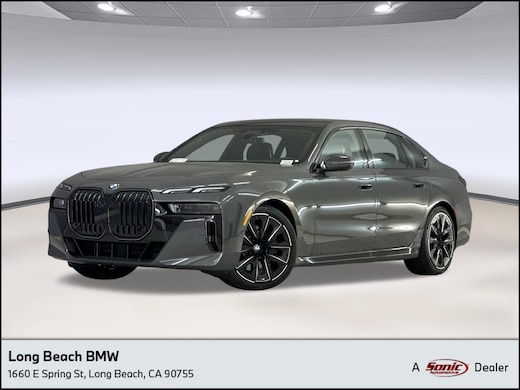
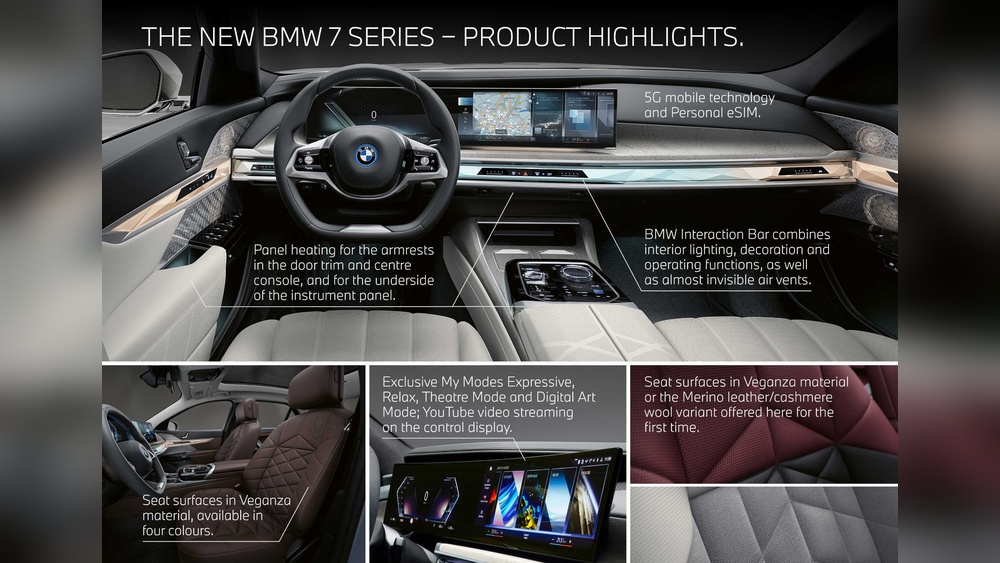
The Interaction Bar is an integrated dashboard control surface, not ordinary decorative trim.
Credit: www.longbeachbmw.com
What Is the BMW 7 Series Interaction Bar?
The Interaction Bar is the illuminated, sculpted control element positioned across the front of the cabin in newer BMW 7 Series models. Its exact layout and functions vary by model year, market, and optional equipment, so the vehicle’s owner’s documentation should take priority over generic detailing advice. For more on this, see our guide on new york auxiliary lighting and off road light.
Unlike a simple piece of hard plastic, the bar may combine:
- Touch-sensitive control areas
- Backlighting and illuminated surfaces
- Switches or capacitive controls
- Narrow seams and panel gaps
- Nearby wiring and electronic components
- High-gloss or easily marked surfaces
That combination creates the detailing challenge. Dust can collect along the upper and lower edges, fingerprints show readily on glossy areas, and excess liquid can migrate into seams. A detailer should treat the bar as an electronic control assembly—not as a surface that can be saturated with interior cleaner.
For model-specific operating instructions and warnings, consult the current information supplied through BMW’s official owner resources, especially if the vehicle has unusual symptoms after cleaning. For more on this, see our guide on ri auxiliary off road light bar highway laws.
Why the Interaction Bar Needs Special Protection
The main risk is not ordinary dust removal. The risk comes from combining the wrong pressure, chemical, cloth, or amount of liquid.
The most common hazards
- Micro-scratches: Grit trapped in a cloth can mark glossy surfaces.
- Chemical residue: Strong cleaners may leave streaks, haze, or an uneven sheen.
- Liquid intrusion: Spray can travel into seams, switches, vents, or the edge of the bar.
- Adhesive transfer: Improper masking tape may leave residue or pull at surface coatings.
- Accidental activation: Touch-sensitive controls can be triggered while the vehicle is powered on.
- Heat damage: Hot steam or a heated towel can affect plastics, coatings, and electronics.
- Pressure damage: Pressing hard on a control surface can stress clips, switches, or the panel itself.
In practice, the safest approach is controlled cleaning: remove loose contamination first, use very little moisture, and keep every product on the cloth rather than on the vehicle. For more on this, see our guide on nh auxiliary off road light bar highway laws.
Before the Detail: Protect the Area
A professional detailer should inspect and protect the Interaction Bar before cleaning the rest of the cabin.
1. Photograph and inspect it
Take a quick photograph before work begins, particularly if the vehicle is being left with a shop. Look for:
- Existing scratches or cloudy areas
- Loose trim or lifted edges
- Sticky switches
- Cracks or chips
- Uneven illumination
- Warning messages already visible on the instrument display
This establishes the pre-existing condition and helps distinguish a cleaning issue from an electrical or trim problem.
2. Power the vehicle down properly
Switch the vehicle off and remove the key or keep the key away from the cabin. Allow the displays and interior electronics to go into their normal sleep state before wiping the controls.
Do not repeatedly open doors, press the start button, or wake the vehicle while cleaning. A powered-down cabin reduces accidental inputs and makes it easier to see smears under stable lighting.
3. Keep tools away from the bar
Place brushes, bottles, polishers, and vacuum attachments where they cannot fall onto the dashboard. A brush handle or metal zipper can create damage faster than a chemical cleaner.
If another part of the dashboard is being cleaned with a spray product, cover the Interaction Bar with a clean, dry microfiber towel. Do not place a wet towel over it.
The Safest Cleaning Method
The goal is to lift contamination, not scrub the surface until it looks clean.
Recommended tools
Use dedicated, clean tools rather than cloths that have already touched wheels, door sills, or exterior paint.
- Plush, edgeless microfiber cloth
- A second dry microfiber for final buffing
- Soft detailing brush for surrounding gaps
- Clean water in a small container
- Mild interior cleaner approved for delicate automotive surfaces
- Low-pressure vacuum used around—not directly on—the panel
A useful standard is one cloth for initial cleaning and another for drying. If the cloth becomes visibly dirty, replace it. Continuing with a contaminated cloth can drag grit across the finish.
Step-by-step process
- Remove loose dust first. Use a soft brush or gentle air movement away from the panel. Never blast compressed air directly into seams or controls.
- Fold a clean microfiber into quarters. This gives several uncontaminated sides and prevents a dirty section from being reused.
- Dampen the cloth lightly. It should feel barely moist, never wet enough to release drops when squeezed.
- Wipe in straight, light passes. Work in small sections with minimal pressure.
- Use a cotton swab only at accessible edges. It must be dry or nearly dry and should never be pushed into a gap.
- Dry immediately. Follow with a clean microfiber before moisture can settle around the controls.
- Inspect under a light. Check from several angles for streaks, residue, or missed dust.
Do not spray cleaner directly onto the Interaction Bar. Even a product marketed for screens or electronics can be unsafe if it reaches an opening or reacts poorly with a particular coating.
For the rest of the interior, a controlled two-bucket wash setup is useful for the exterior, but the Interaction Bar should be cleaned with a separate, dedicated interior process. Exterior wash chemicals and dirty wash mitts should never enter the cabin workflow.
Which Cleaners Are Appropriate?
There is no universal “safe for every BMW surface” chemical. Finishes differ between model years and equipment packages, so the owner’s manual and product directions matter.
Generally lower-risk options
- Clean, dry microfiber for light dust
- Distilled or clean water applied to the cloth
- A pH-neutral interior cleaner specifically labeled for automotive plastics and electronic-adjacent surfaces
- A screen-safe product only when its label confirms compatibility with the surface
Always test a small, inconspicuous area first. Apply the product to the cloth, not the vehicle, and use the smallest amount that removes the contamination.
Products to avoid
Keep these away from the Interaction Bar unless BMW specifically directs otherwise:
- Household glass cleaner containing ammonia
- Bleach or disinfectants not designed for automotive interiors
- Solvent-based degreasers
- Abrasive polishes and melamine “magic” sponges
- Silicone-heavy dressings
- Wax, ceramic coating, or paint sealant intended for exterior surfaces
- Strong alcohol mixtures
- Steam cleaners
- Aerosol sprays aimed toward the dashboard
Isopropyl alcohol deserves particular caution. Although it may be suitable for some hard electronic surfaces, it can dull, dry, or damage certain coatings and plastics. Do not assume that a diluted alcohol wipe is safe for every 7 Series Interaction Bar.
How Professional Detailers Should Mask the Area
Masking is helpful when the dashboard, vents, or surrounding trim are being cleaned, but careless masking can create its own problem.
The safest option is often a clean microfiber towel placed over the bar while adjacent surfaces are treated. If tape is genuinely necessary, use a low-tack automotive masking tape, keep it off illuminated sections and seams, and remove it promptly. Test the tape on an inconspicuous nearby surface first.
Avoid:
- Duct tape or household adhesive tape
- Leaving tape in a hot parked car
- Pressing tape into gaps
- Covering the panel with plastic that can trap moisture
- Applying tape over loose, peeling, or damaged trim
A detailer should never use masking as permission to spray aggressively. Protection reduces risk; it does not make direct spraying safe.
Common Mistakes That Cause Damage
Spraying the dashboard directly
Overspray can run downward into switches and gaps. Spray the cloth away from the vehicle instead.
Using one cloth for everything
A cloth used on leather conditioner, exterior trim, or dirty door jambs can transfer oils and abrasive particles. Interior electronics need a clean, dedicated towel.
Scrubbing fingerprints
Fingerprints usually require less product, not more pressure. Several light passes are safer than one aggressive scrub.
Cleaning while the vehicle is awake
An illuminated control bar can invite accidental presses. It also makes it harder to identify whether a light or display is behaving normally.
Using paper towels
Paper products can shed lint and may be abrasive on glossy surfaces. Even soft-looking disposable towels can leave fibers in the seams.
Applying interior dressing
Gloss-enhancing dressing can create glare, attract dust, and make touch areas slippery. The Interaction Bar generally benefits from a clean, residue-free finish rather than added shine.
Using a vacuum nozzle directly on the panel
A hard nozzle can scratch the surface or catch an edge. Keep the nozzle slightly away and use a soft brush to loosen dust.
A Practical DIY Cleaning Routine
For light dust and fingerprints, most owners can safely perform a basic wipe-down:
- Park securely and switch the vehicle off.
- Move the key away from the cabin.
- Wait for the displays and controls to enter their normal inactive state.
- Inspect the bar for existing damage.
- Remove loose dust with a clean, soft microfiber.
- If needed, lightly dampen a separate cloth with water or approved interior cleaner.
- Wipe gently without pressing on the controls.
- Dry the surface immediately with another clean cloth.
- Check the seams and edges for remaining moisture.
- Stop if the surface becomes cloudy, sticky, or unusually warm.
Clean small areas rather than trying to wipe the entire dashboard in one pass. This limits moisture and makes it easier to spot a problem early.
What to Do After a Spill
If liquid has been spilled near the Interaction Bar, do not continue wiping it deeper into the seams.
- Turn the vehicle off.
- Do not press the affected controls.
- Blot visible liquid with a dry microfiber.
- Avoid heat guns, hair dryers, steam, and compressed air.
- Do not flood the area with another cleaner.
- Allow the area to remain undisturbed and contact BMW service if liquid may have entered the panel.
If the vehicle displays warnings, behaves unpredictably, or develops nonresponsive controls, stop using the affected functions and arrange an inspection. Cleaning cannot correct an electronic fault.
Signs the Interaction Bar Needs Service
Some symptoms indicate more than surface contamination:
- Controls do not respond consistently
- Backlighting flickers or remains partially illuminated
- The bar becomes hot
- A switch feels loose, sticky, or mechanically different
- New warning messages appear
- The panel separates from the dashboard
- There is a burning smell or evidence of liquid entry
- The surface remains cloudy after residue has been removed correctly
Do not pry up trim or attempt to remove the Interaction Bar at home. The panel may contain clips, wiring, lighting components, and model-specific electronics. A BMW dealer or qualified automotive electronics technician can identify whether the problem is cosmetic, mechanical, or electrical.
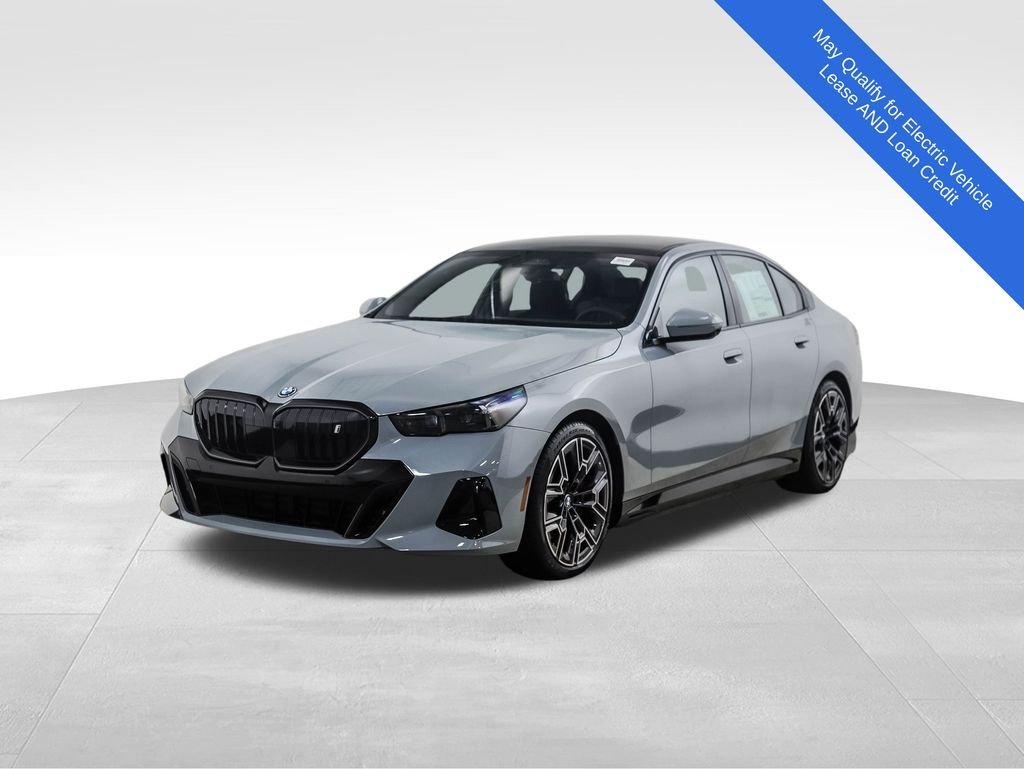
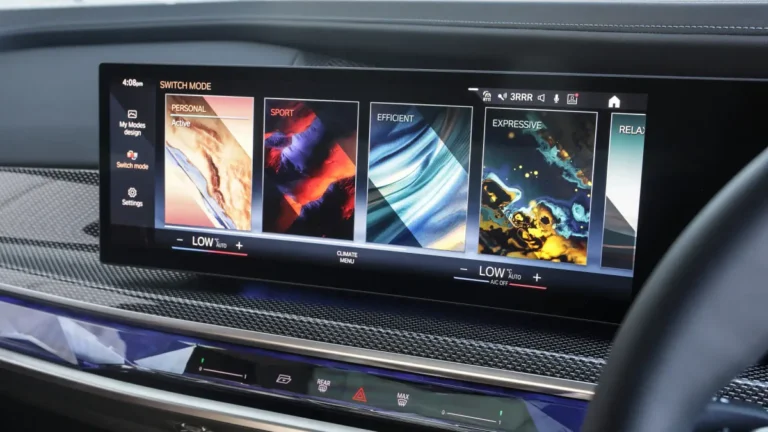
Use a clean microfiber and controlled moisture when working around the illuminated control strip.
Credit: www.motorwerksbmw.com
How to Brief a Professional Detailer
Before handing over the vehicle, give the detailer clear instructions:
- Point out the Interaction Bar during the walk-around.
- Mention any existing scratches, looseness, or electrical symptoms.
- Request no direct spray on the dashboard controls.
- Ask for a clean microfiber dedicated to the area.
- Confirm that steam and abrasive products will not be used.
- Request that the vehicle be powered down while the area is cleaned.
- Ask the shop to notify you before attempting stain removal or adhesive removal.
A common mistake is assuming that a detailer automatically knows the construction of every luxury-car interior. Clear instructions protect the vehicle and give the technician a sensible process to follow.
Keeping the Interaction Bar Clean Between Details
Frequent aggressive cleaning is unnecessary. Light maintenance is safer:
- Dust it with a clean microfiber once a week or as needed.
- Wipe fingerprints soon after they appear.
- Keep food, drinks, and oily hand creams away from the controls.
- Do not place objects on top of the bar.
- Use a sunshade to reduce heat exposure when parked for long periods.
- Store interior-cleaning towels separately from exterior towels.
The best finish is usually clean and natural-looking. If a product leaves a shiny film, oily feel, or strong fragrance, it is probably doing more than the surface needs.
Frequently Asked Questions
Is the BMW 7 Series Interaction Bar a touchscreen?
Not necessarily. The Interaction Bar can include illuminated controls, touch-sensitive areas, switches, and other integrated functions depending on the vehicle’s model year and equipment. Treat it as a sensitive electronic control assembly rather than assuming it is a conventional touchscreen.
Can I use glass cleaner on the Interaction Bar?
Avoid assuming that glass cleaner is compatible. Household glass cleaners may contain ammonia, solvents, or additives that can affect plastics and coatings. Use only a product labeled for the specific automotive interior surface, apply it to a cloth, and test first.
Can I use rubbing alcohol to disinfect it?
Do not use rubbing alcohol automatically. Alcohol may be appropriate for some surfaces but can damage or haze others. Follow BMW’s care guidance and the cleaner manufacturer’s compatibility instructions instead.
Should a detailer cover the Interaction Bar?
Yes, covering it with a clean, dry microfiber while nearby surfaces are being cleaned is a sensible precaution. Tape should be used only when necessary and only after checking that it will not leave adhesive or affect the finish.
What should I do if liquid gets into the controls?
Switch the vehicle off, stop pressing the controls, blot visible liquid, and avoid heat or compressed air. Contact BMW service if liquid may have entered the seams or if any warning, flickering, heat, or malfunction appears.
How often should I clean the Interaction Bar?
Light dusting and fingerprint removal as needed are sufficient for most interiors. Use minimal moisture and avoid repeated chemical cleaning when a dry microfiber will do the job.
Final Takeaway
Protecting the BMW 7 Series Interaction Bar is mostly about restraint. Use clean tools, minimal moisture, gentle pressure, and no direct spray. Shield the panel while surrounding areas are detailed, keep abrasive and solvent-based products away, and stop immediately if a control behaves differently after cleaning.
A careful detailer can keep the Interaction Bar clean without compromising its finish or electronics. If the panel is loose, unresponsive, flickering, unusually warm, or exposed to a spill, skip further DIY work and arrange professional BMW inspection.
Give your detailer these precautions before the appointment so the Interaction Bar receives a clean finish without unnecessary risk.